What’s New:
Collaborate in real time!
Easily collaborate with your team on panels in real time. See who’s editing, review changes, and stay aligned.
The panel saves changes automatically, so there is no need to manually save your progress while making updates. You can see who is currently viewing or updating the panel in the top right corner of the page.

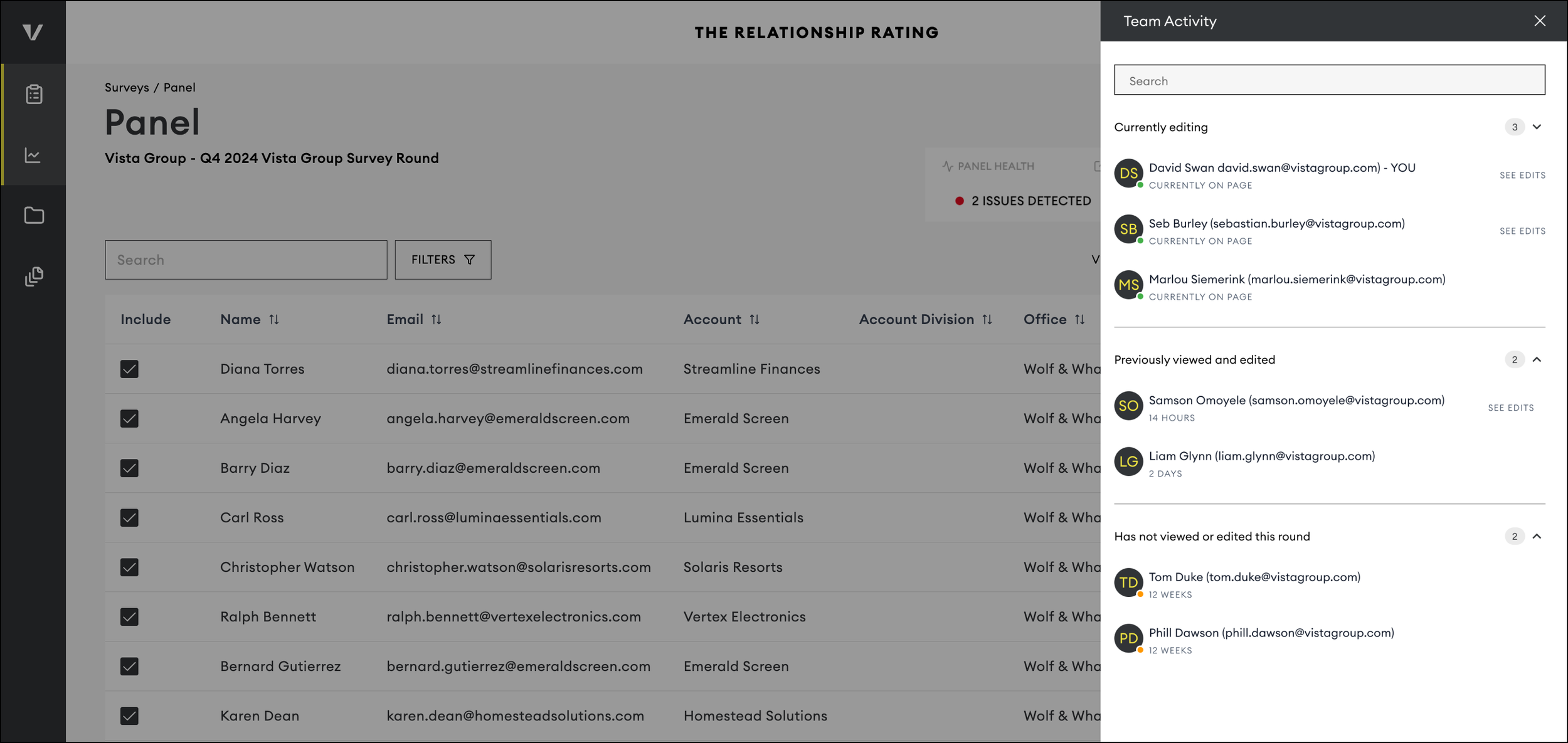
By clicking the arrow icon, you can view a full list of team members and their activity status:
Currently editing
Previously viewed or edited
Has not viewed or edited this survey round
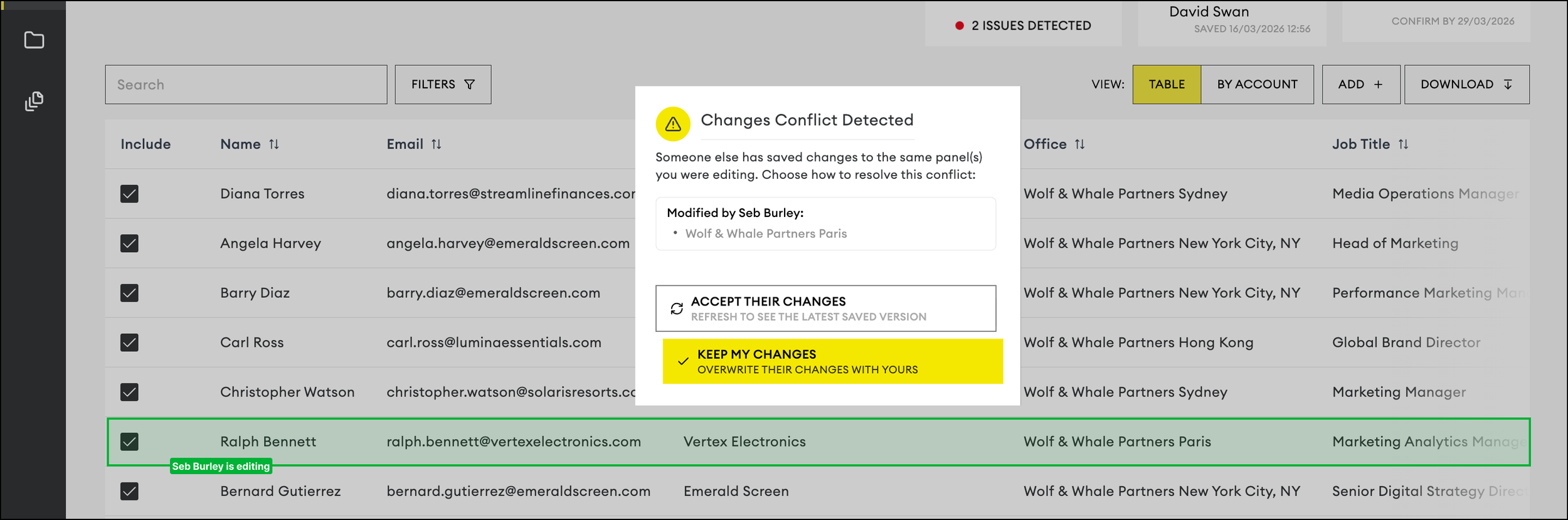
You will also be able to see which row a team member is currently editing, be alerted if you are about to make contradicting changes and be notified if someone is using the Mass Update tool to upload a spreadsheet of changes.
If another member of your team has made updates, you can review their changes by expanding the Audit History card at the top of the page. See more details of their changes by clicking View Changes

Now that your changes are auto-saved, simply make sure all updates to your panel are completed before the “Confirm By” date shown next to the total number of included contacts.
