Managing Responses
At this stage, the goal is to achieve the highest response rate possible. Higher response rates lead to more reliable insights.
JUMP TO: RESPONSE STATUSES | VIEWING DETAILS | SENDING LINKS | BOUNCE BACKS
Where to manage the response
Once your survey is live, the survey status will change to Live on the My Surveys page.
To monitor progress, select your survey and click Manage Responses.
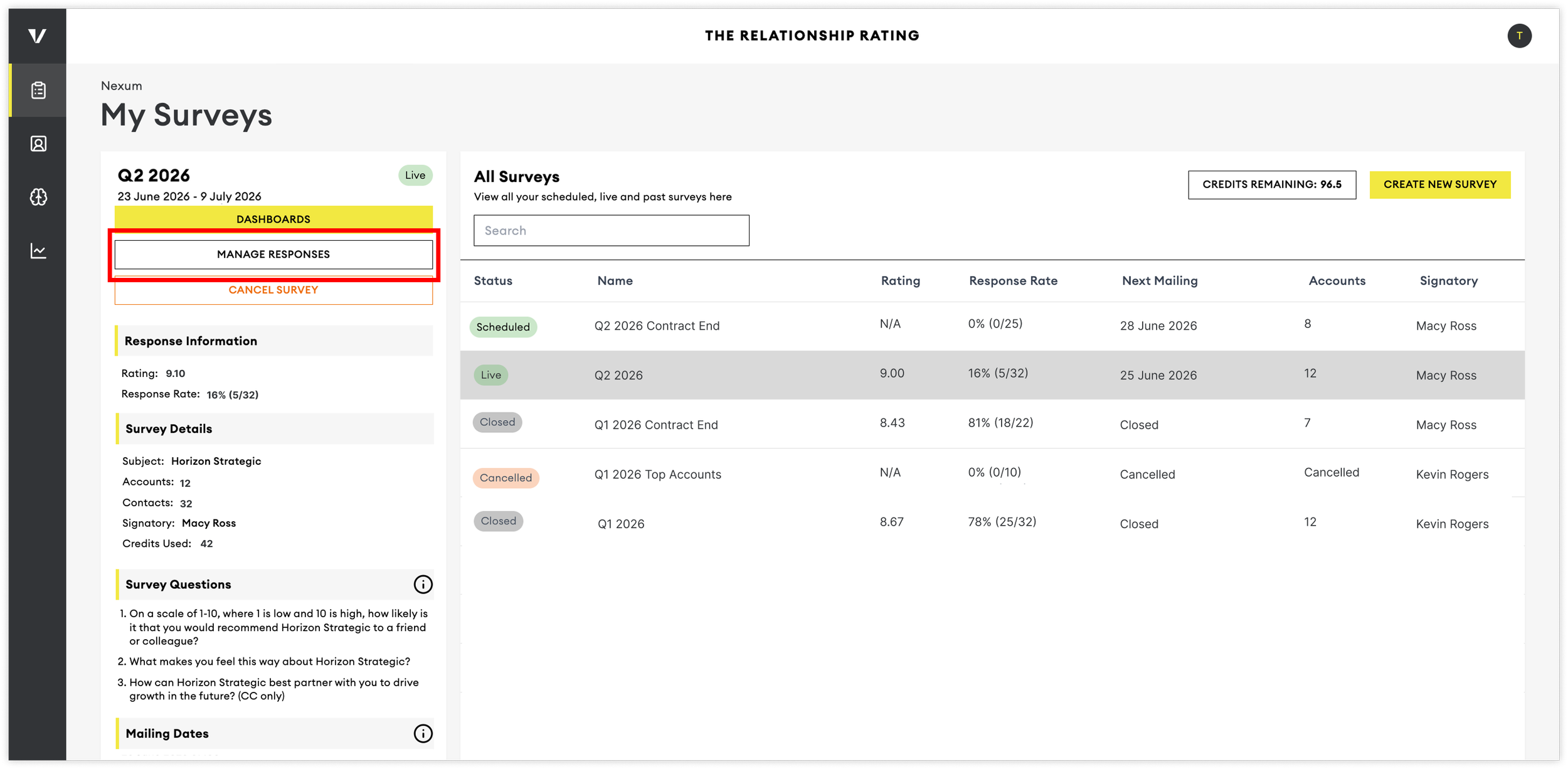
The Manage Response page allows you to track responses in real time, identify delivery issues, and follow up with contacts who have not yet responded.
Understanding Response Statuses
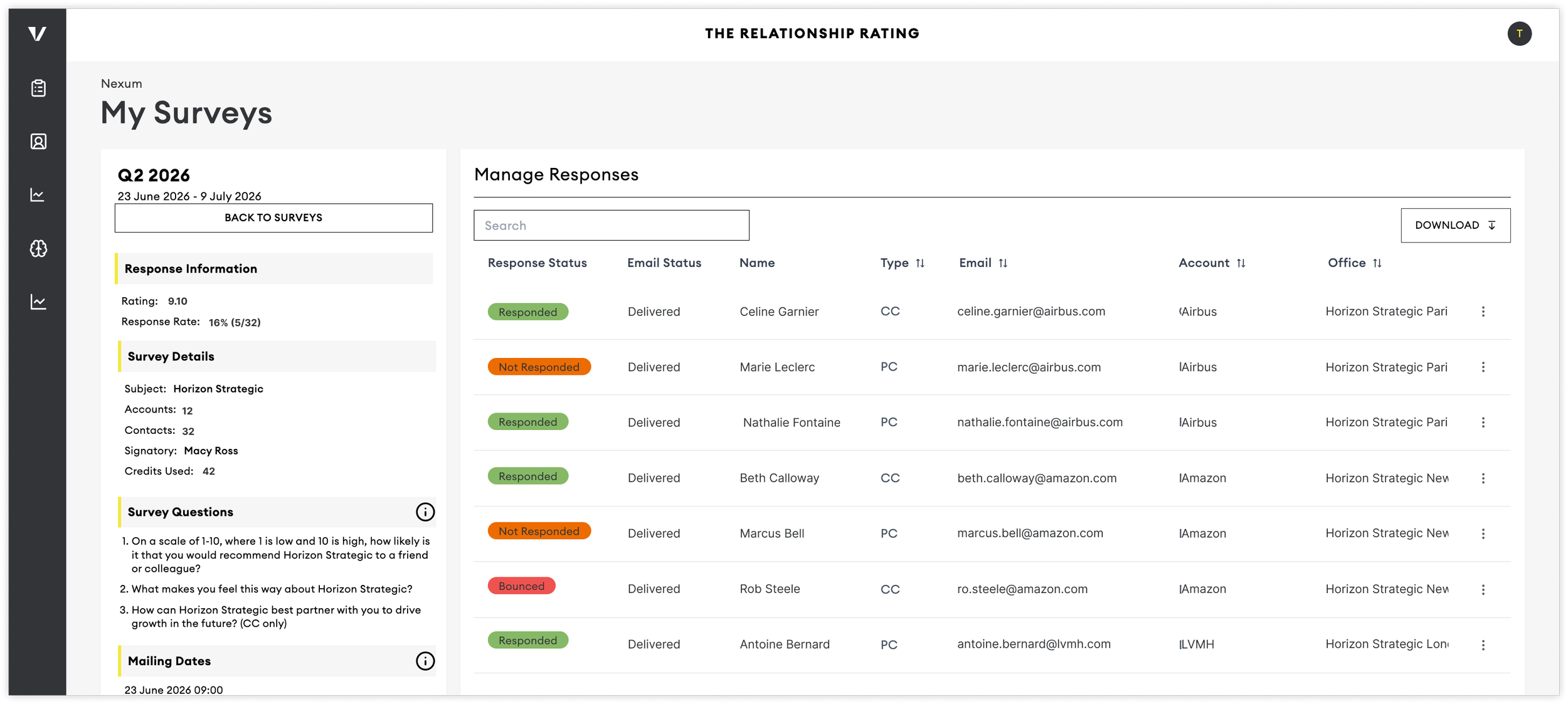
The Manage Responses table displays the current status of every contact included in your survey.
Not Responded: The contact has received the survey but has not yet submitted feedback.
Responded: The contact has completed the survey.
Once submitted, their feedback will become available on the dashboard as responses are processed.
Bounced: The survey email could not be delivered. This is typically caused by:
An incorrect email address
A blocked domain
A full mailbox
Company email security settings
Opted Out: The contact has chosen not to receive further survey communications. Contacts can opt out using the unsubscribe link included in survey emails. Once a contact has opted out, they will not receive any future survey reminders.
Viewing Contact’s Details
Click the three-dot menu beside any contact to open their response management panel.
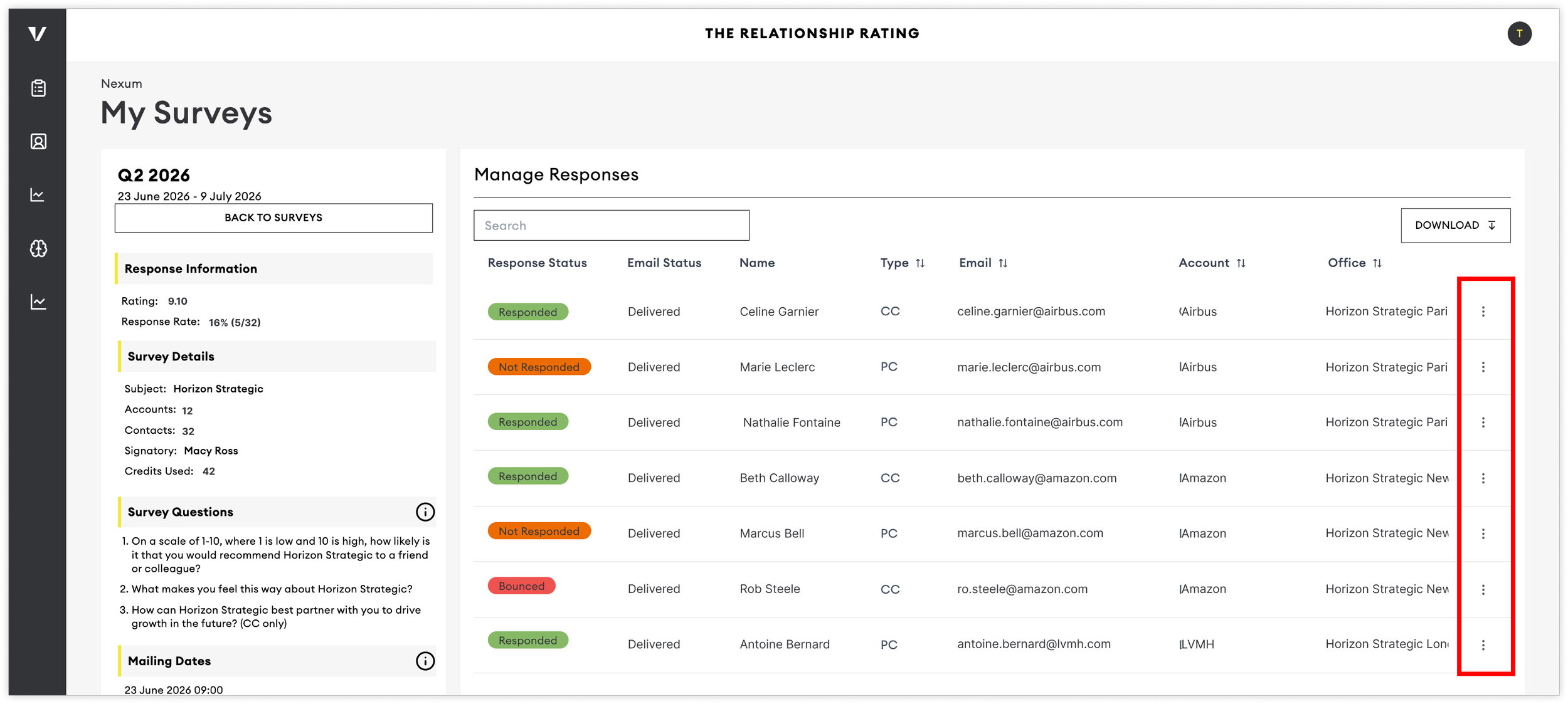
Depending on the contact's status, you can:
View contact details
Update email addresses if previously bounced
Send a survey reminder with the survey link directly
View outreach activity
Following Up with Non-Responders
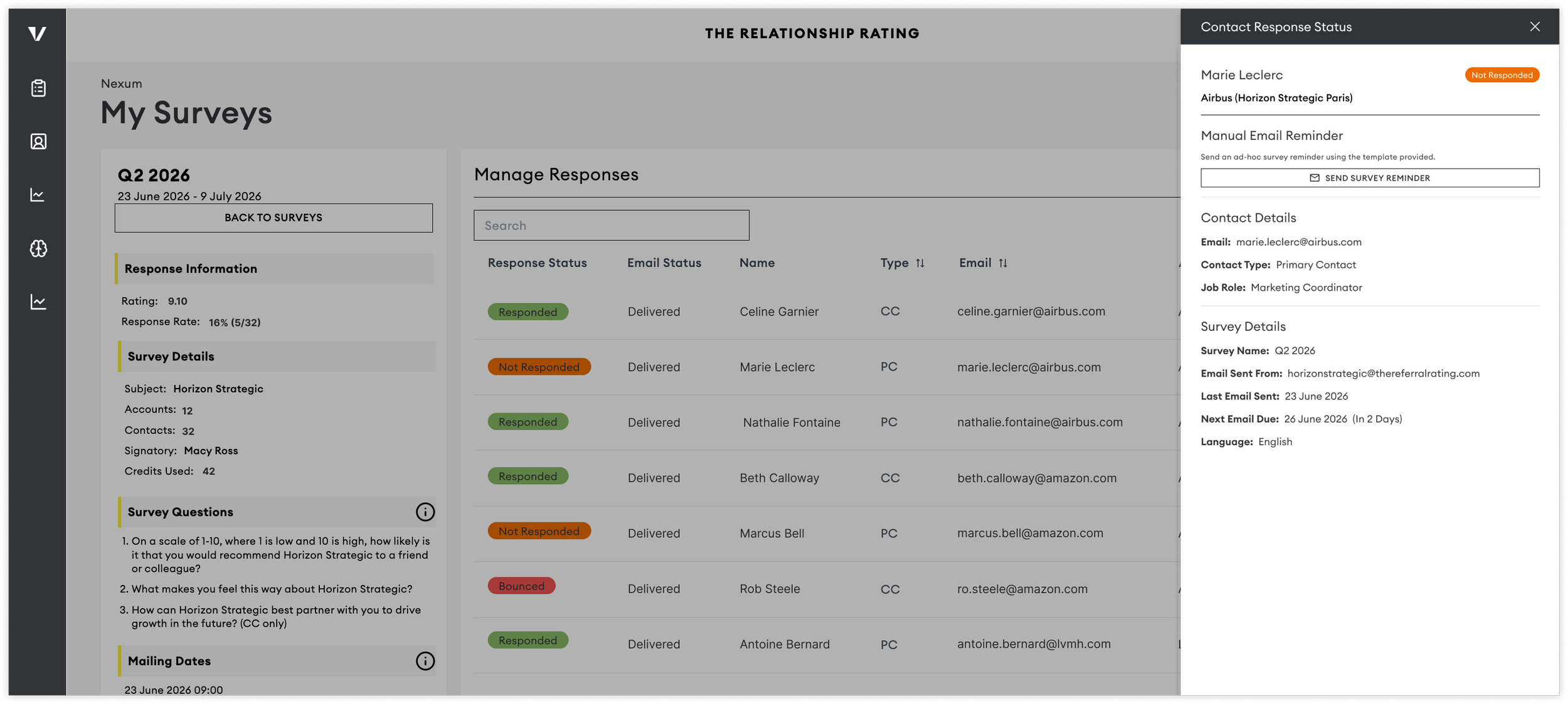
In addition to the automated survey emails, you can send personalised follow-up messages to contacts who have not yet responded by sending them the survey link directly.
Click the Send Survey Reminder button
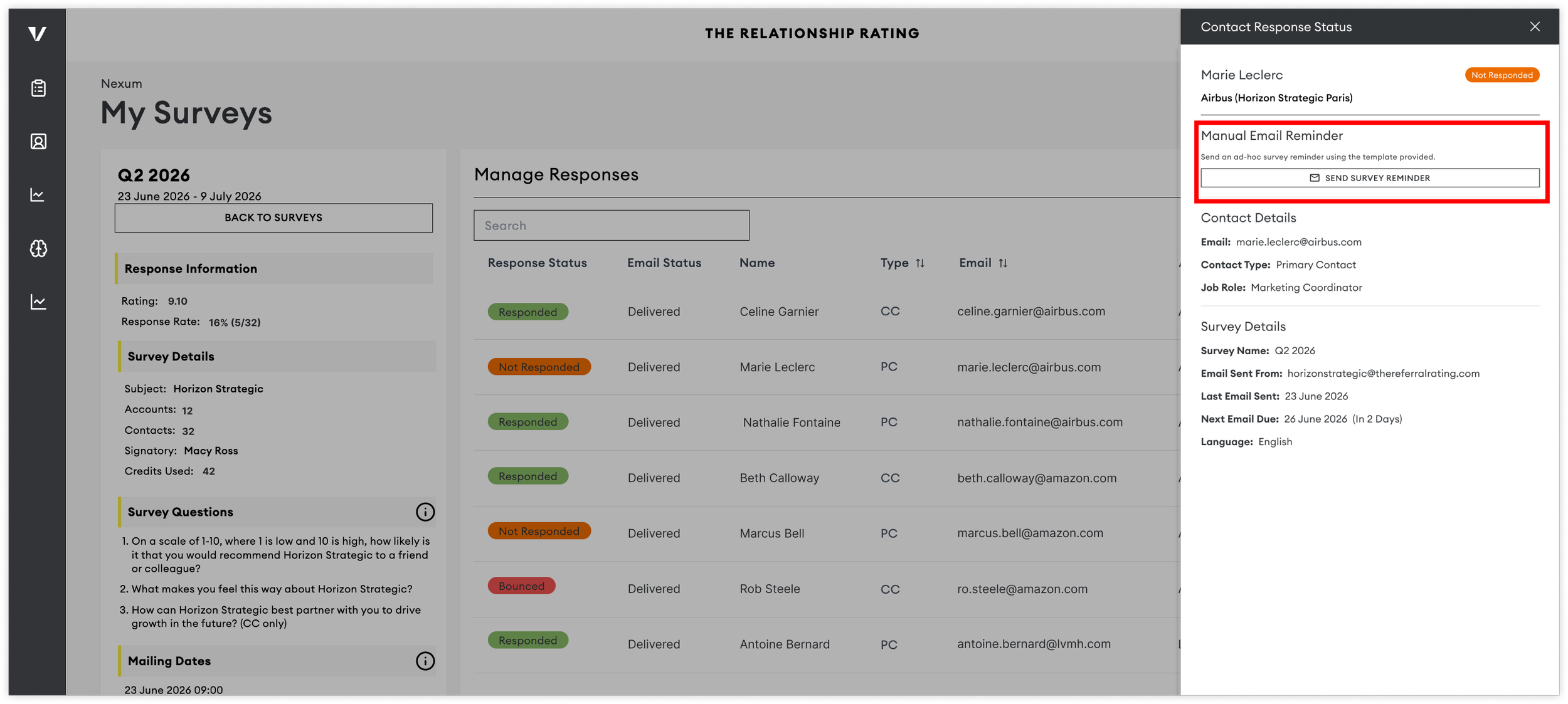
This will open up a pre-filled email draft in your default email application.
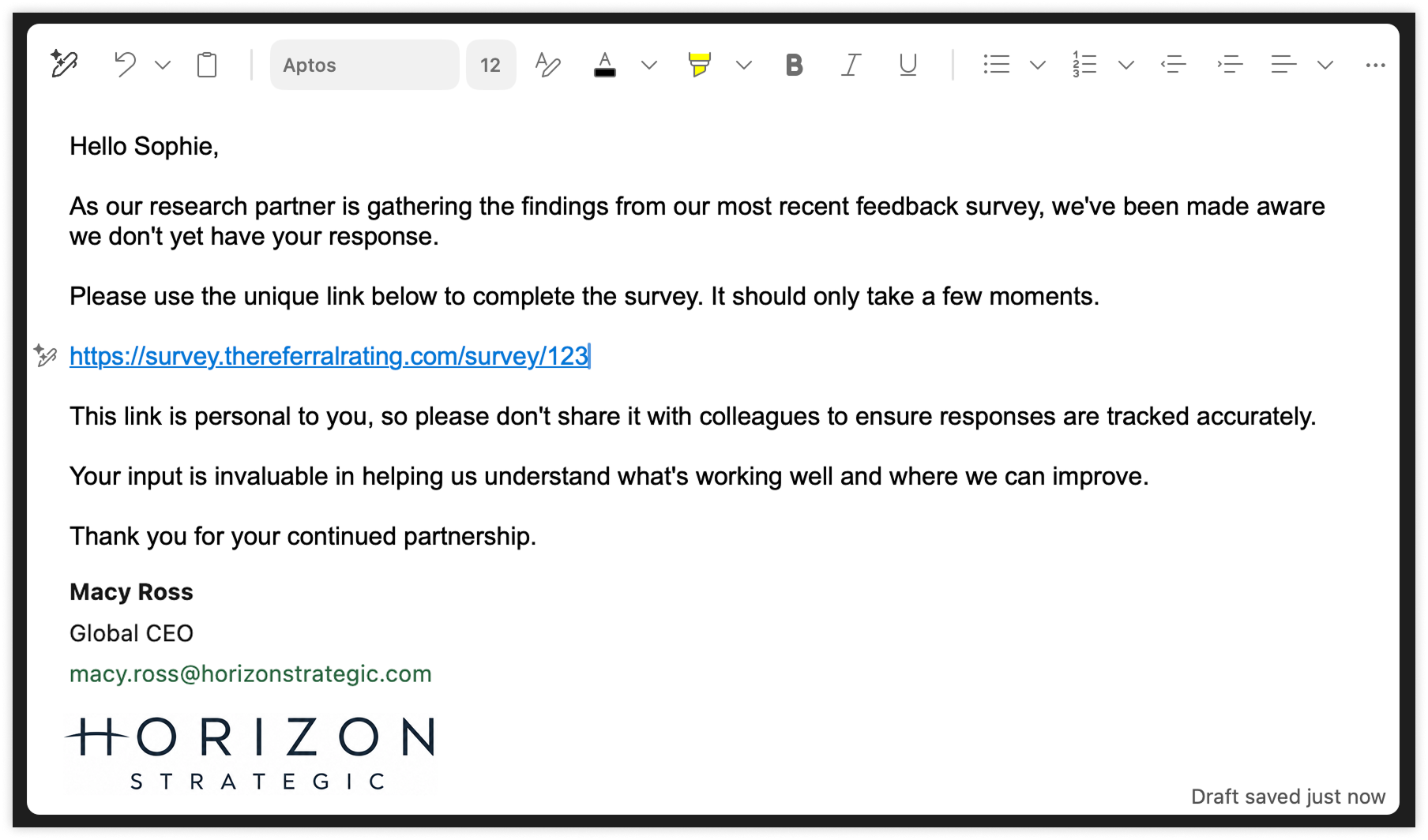
Customise the wording to suit your communication style, but leave the unique survey link unchanged.
This allows you to:
Send personal reminders
Increase response rates
Maintain accurate response tracking
If the email is not opening up as a draft, you may need to check your email provider permissions.
Coordinating with Your Team
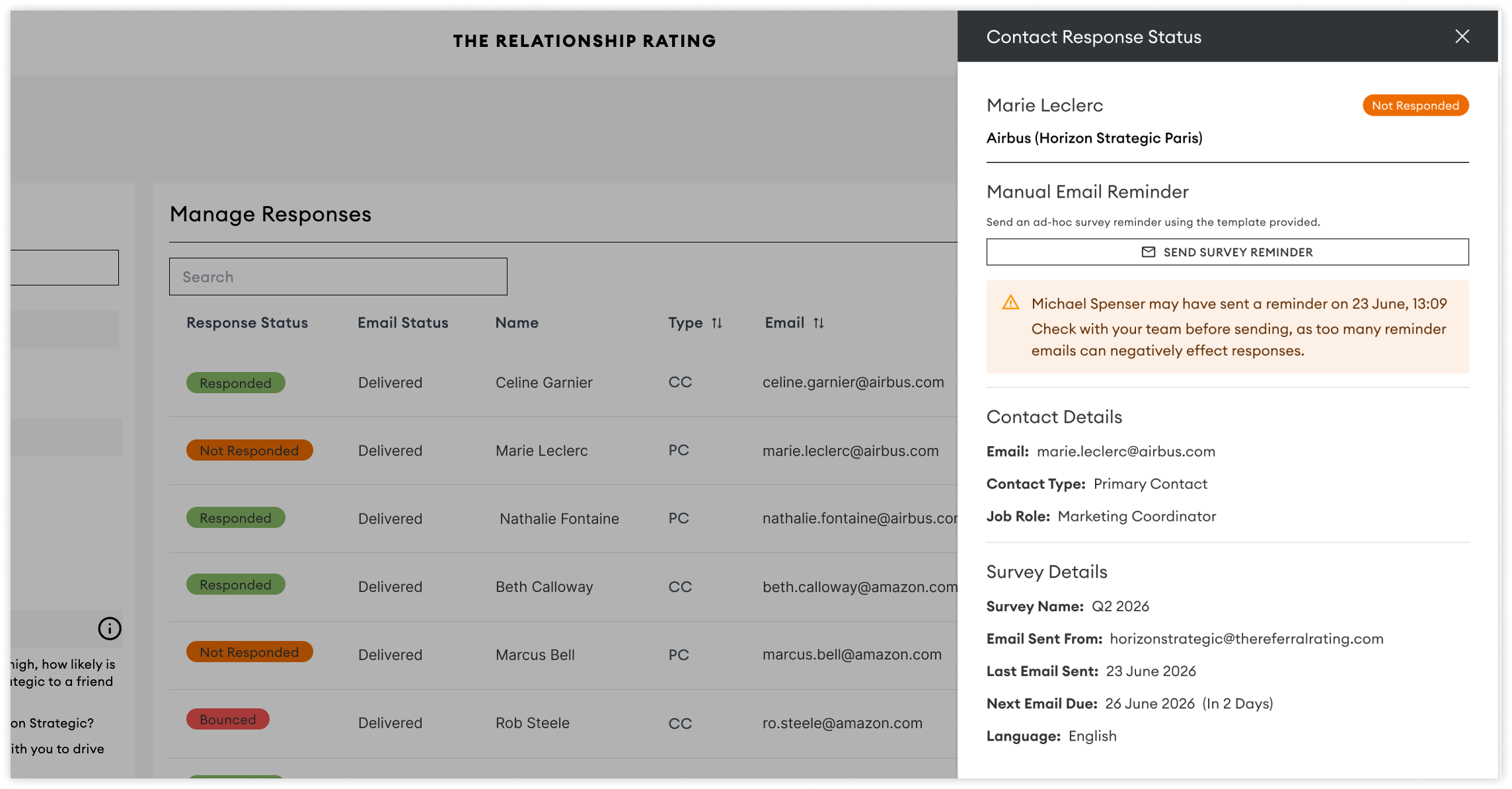
To help prevent duplicate follow-ups, the Outreach Status column shows whether someone on your team has already contacted a respondent.
This helps teams coordinate outreach efforts and avoid sending multiple reminders to the same contact.
Survey Security
Each survey link is tied to a unique contact record and can only be submitted once.
To protect the integrity of your survey data:
Responses are linked to a unique identifier
Duplicate submissions are prevented
Security and tracking measures remain active throughout the survey period
Correcting Bounced Email Addresses
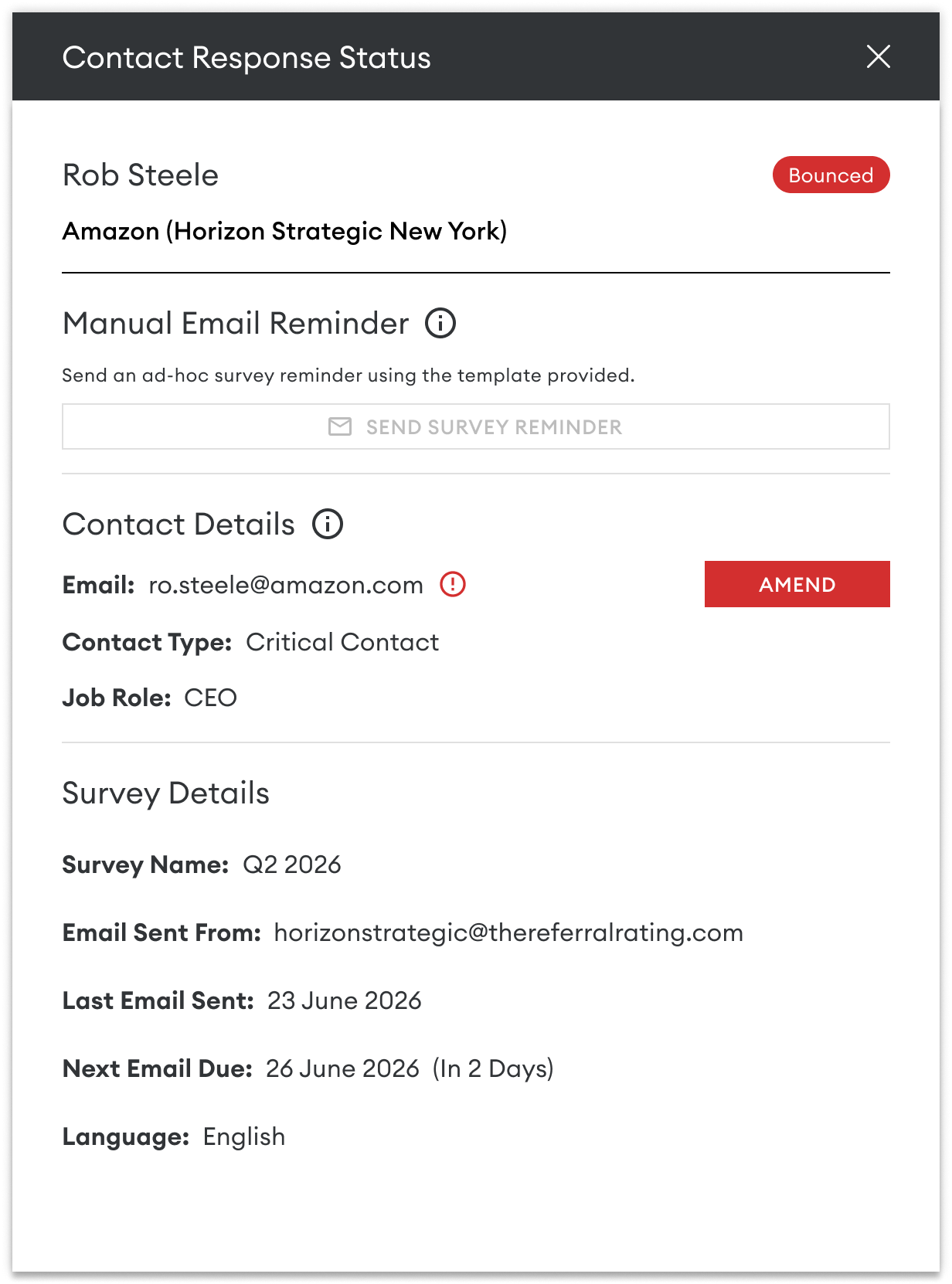
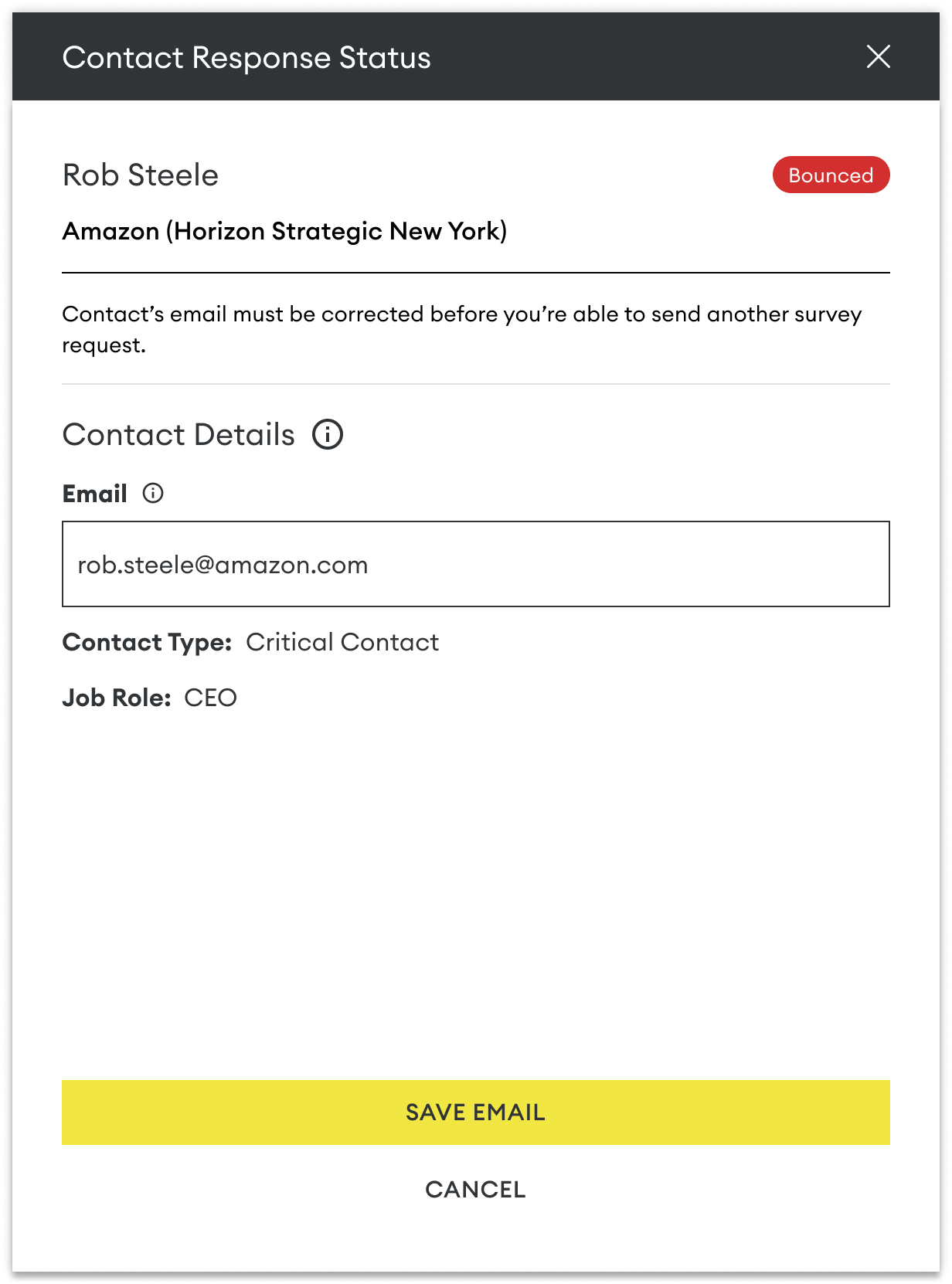
If a survey invitation bounces, you can update the contact's email address directly from the Manage Responses page.
To update an email address:
Open the contact's side panel by clicking the three dots on the right of the table
Edit the email address.
Save your changes.
Once updated, the contact will receive the remaining scheduled reminder emails to the updated email.
However, you can also send them a reminder immediately using their updated details.
Need Help Increasing Response Rates?
A personal reminder from someone the contact knows is often one of the most effective ways to encourage participation.
For additional best practices and outreach tips, see our guide: How to Increase Survey Response Rates.