THE DASHBOARD VIEWS
Identify your most satisfied clients
Identify who is rating you the highest and is likely to be talking about you positively behind your back? These clients tend to be the source of organic growth opportunities and referrals
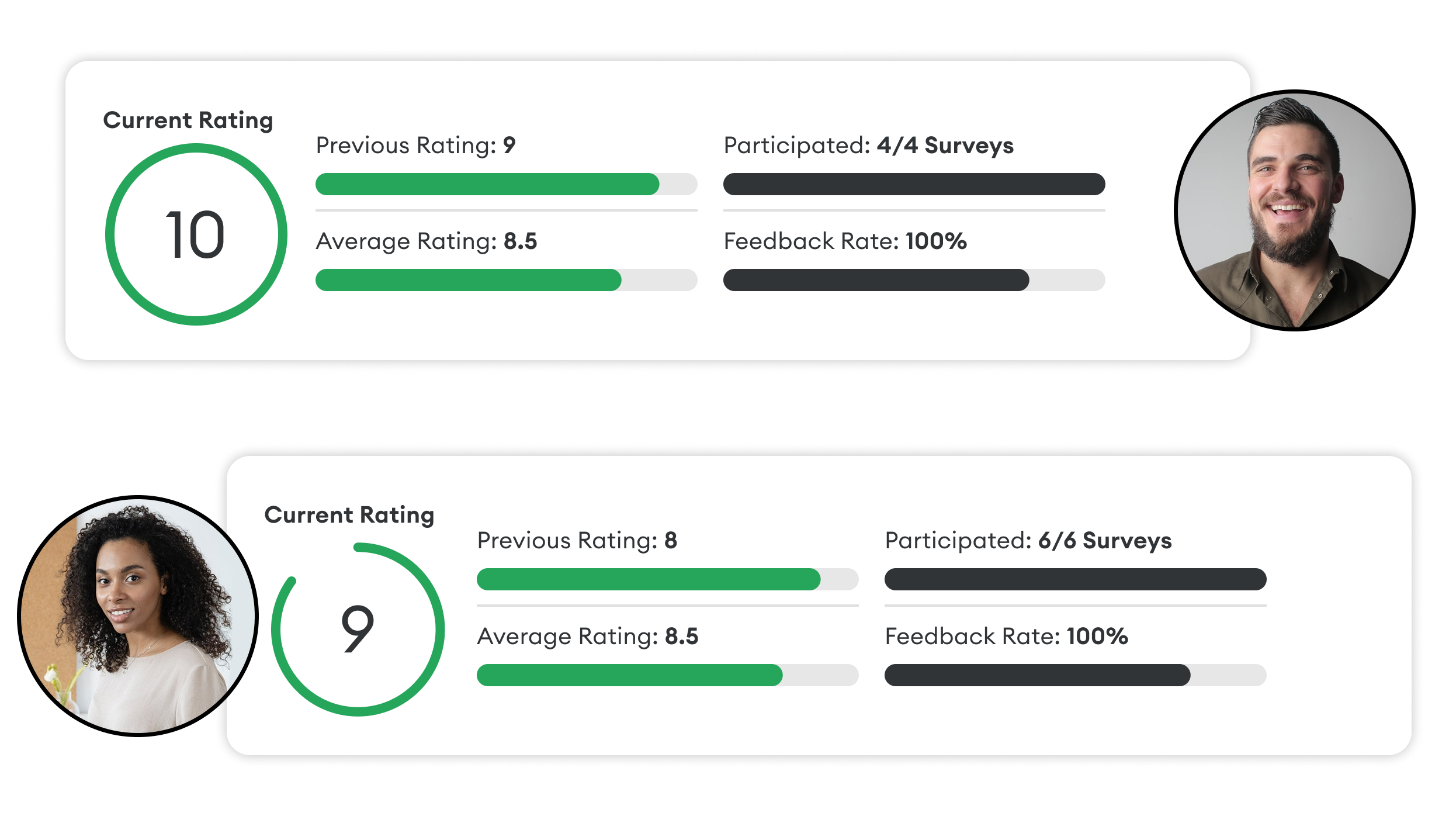
Step 1: Step 1: Find your passive and active advocates
The Individual Responses table view on the Overview or Feedback Overview pages is the best place to turn to if you’re looking to identify accounts and contacts that hold your best growth opportunities.
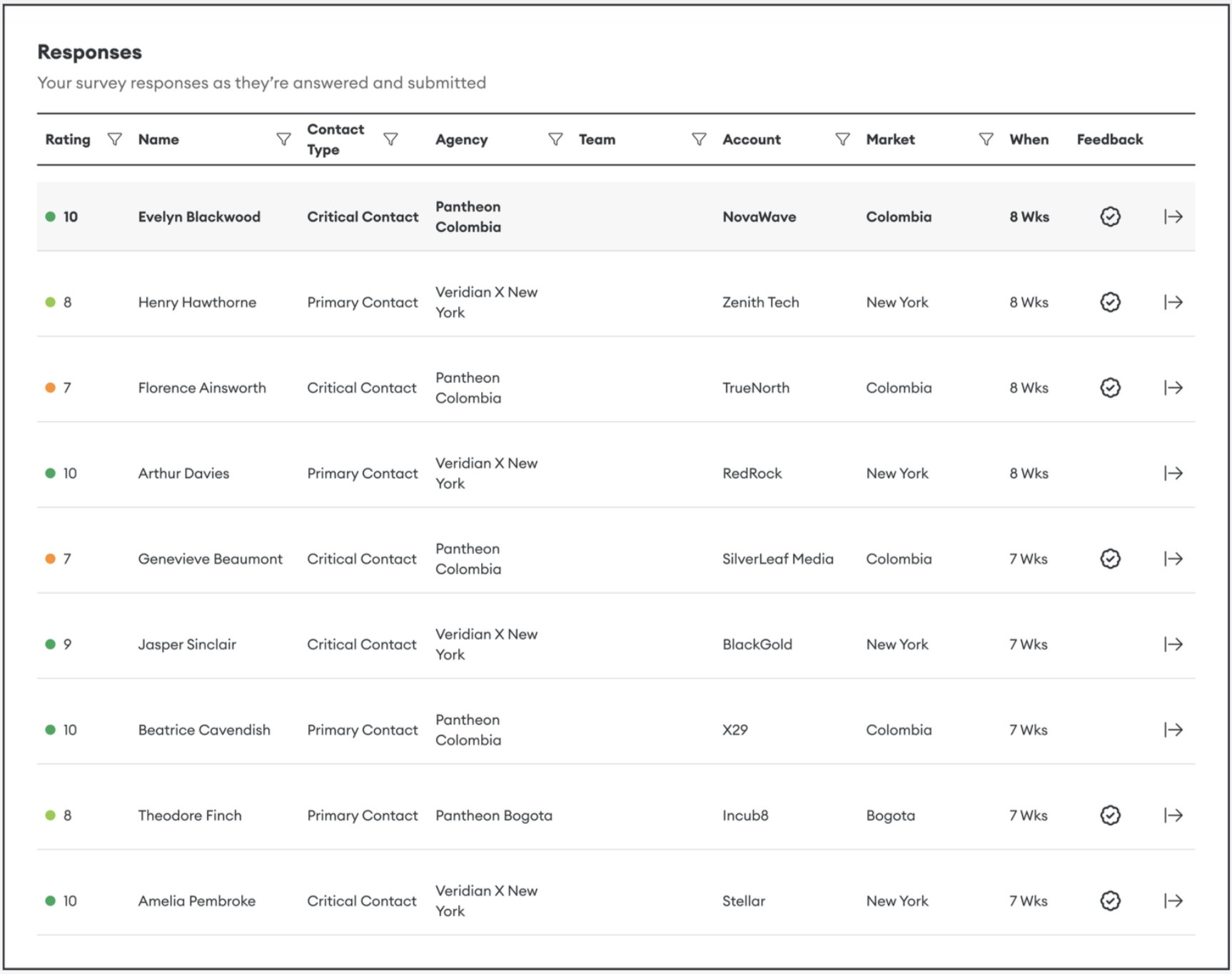
Here you’ll see a list of the individuals surveyed, including:
- Their job position and seniority
- Contact priority (Critical, Primary, or Standard)
- The rating they’ve given in the past seven TRR rounds
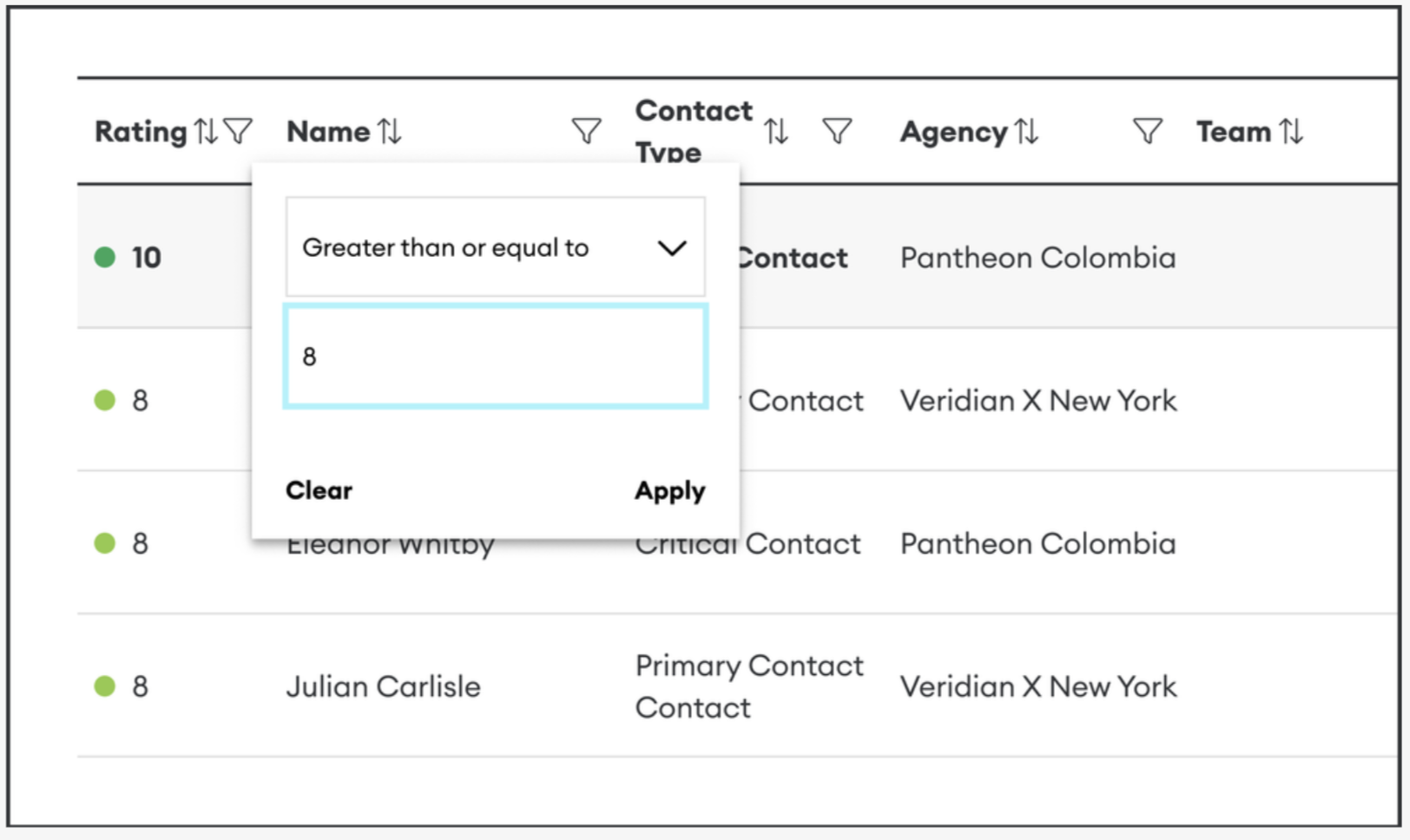
Use the filter in the 'Ratings' column by setting it to 'Greater than or equal to 8' to help you spot the contacts who have given a consistently high rating:
- Passive advocates (who’ve rated you at 8)
- Active advocates (who’ve rated you at 9 or 10)
The Round Numbers section in particular, helps identify emerging positive or negative trends in customer feedback.
These are the relationships you can leverage for further growth opportunities. To further prioritise this contact list, examine the rating given in the past few rounds.
TIP: Use the filter in the 'Name' column to find the rating given by a specific customer contact.
TIP: Use the filter at the top corner of the page to see the ratings given by contacts within a specific market, sector, or account.
Step 2: Plan for a response
Click the right arrow icon of any contacts in the table to view their Contact Profile Page. This will allow you to view the full contact’s history:
The ratings they’ve given at each round
The positive and negative feedback they’ve shared
Historical Themes
Their average Rating and participation
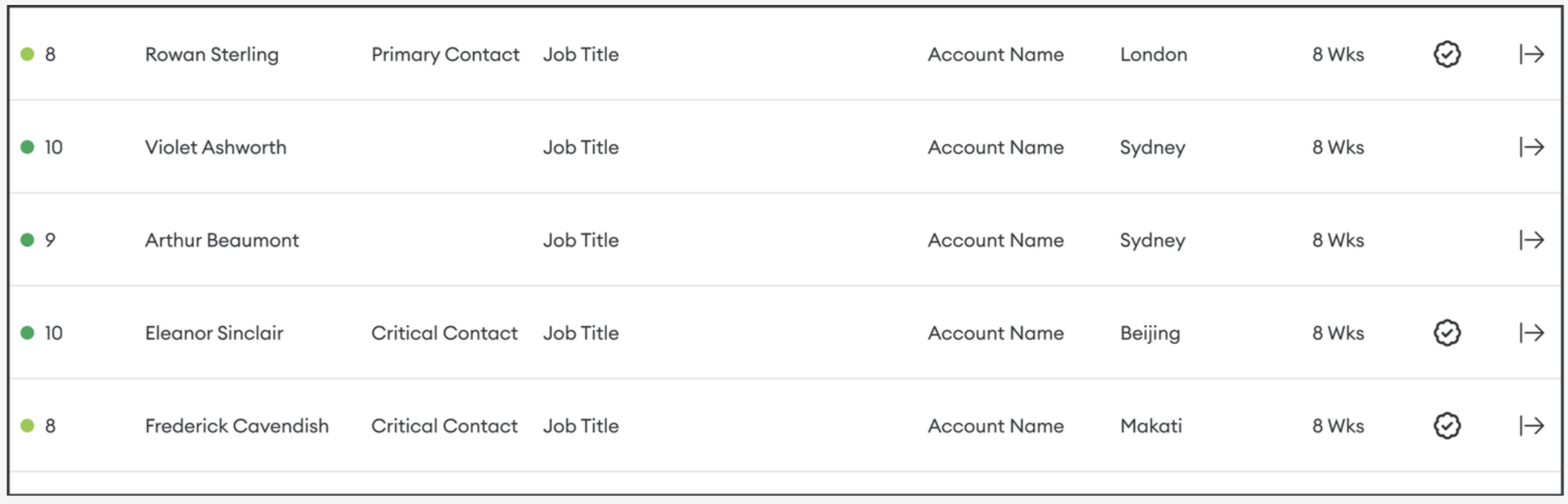
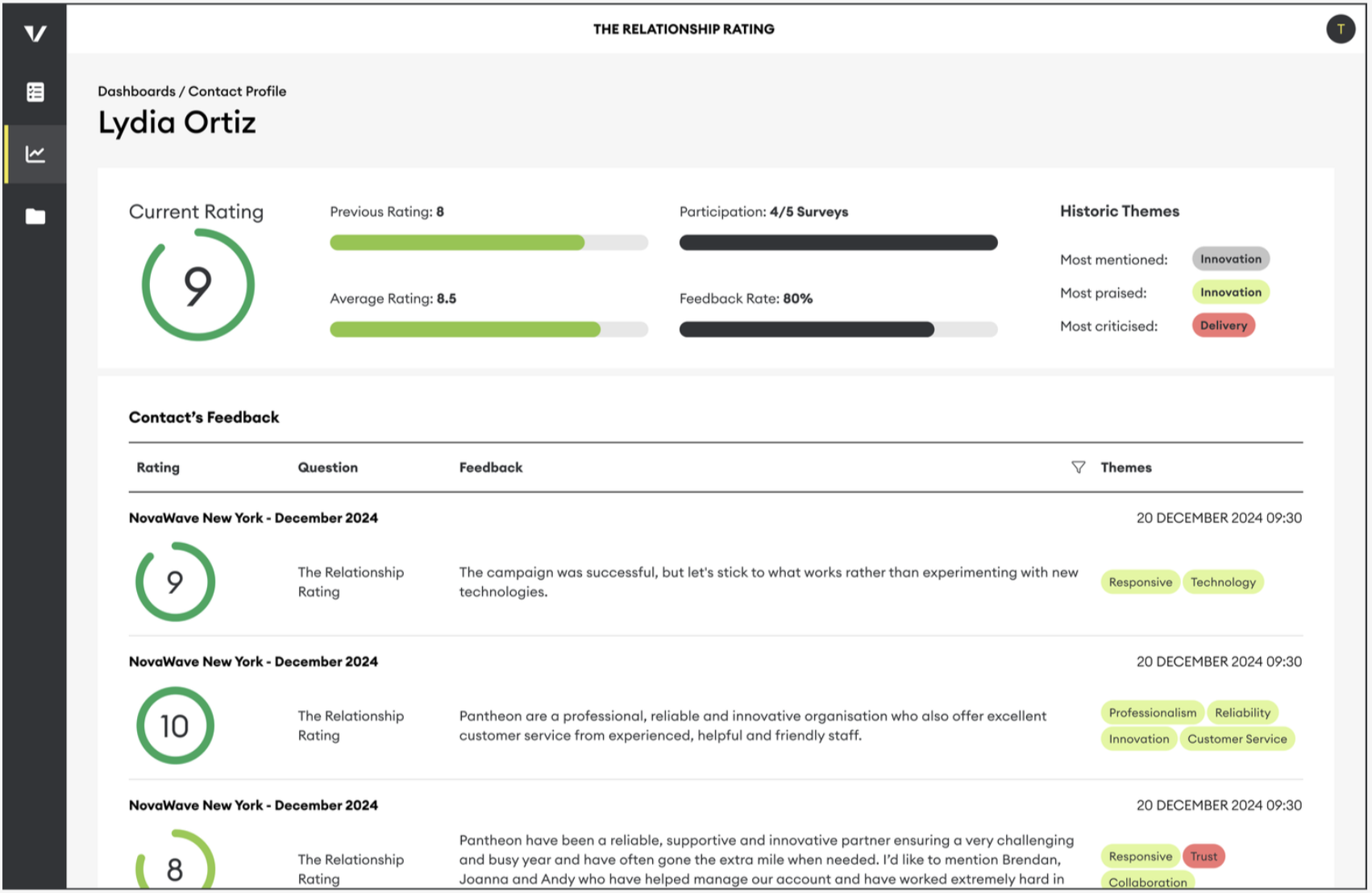
This information will help you better target your response by knowing:
Their priorities
Their history as a client
What improvements have they noticed
What shortcomings do they see
What they value most about working with you