HOME | ACCOUNTS | PANELS | SURVEY DESIGN | MANAGE RESPONSE | VIEWING RESULTS | ARTICLESTHE DASHBOARD VIEWS
Identify accounts at risk and the reasons why
Identify and avert business risk by knowing the accounts and individuals feeling dissatisfied or neglected — and the reasons why.
Step 1: Spot what needs attention
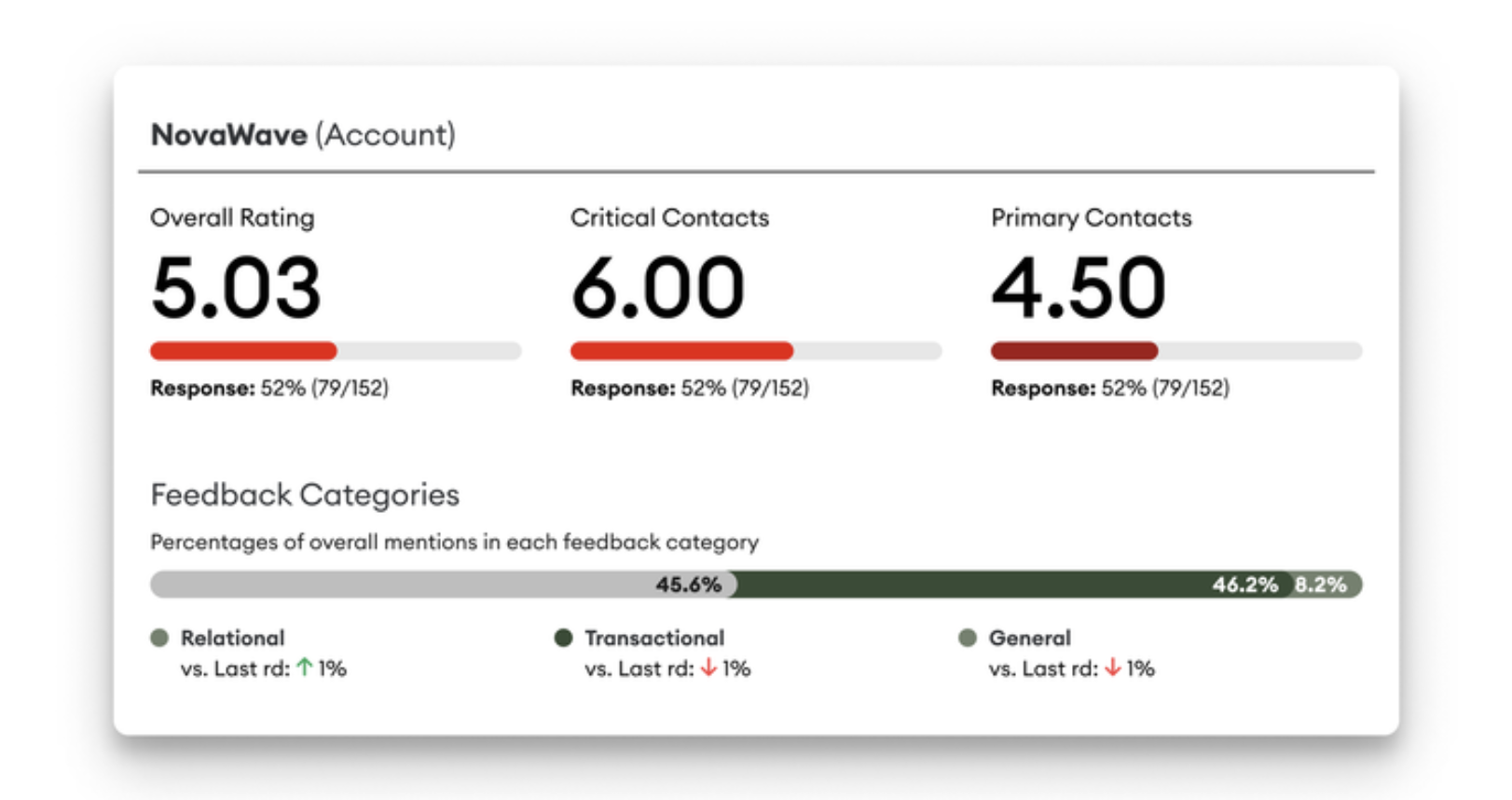
The Rating section on the account page will give you an in-depth look at each account. Click on an account to see:
The Overall Rating, Critical Contacts Rating and Primary Contact Rating
Relational vs Transactional Feedback
Sentiment Overview
See ratings by accounts and spot movement over time.
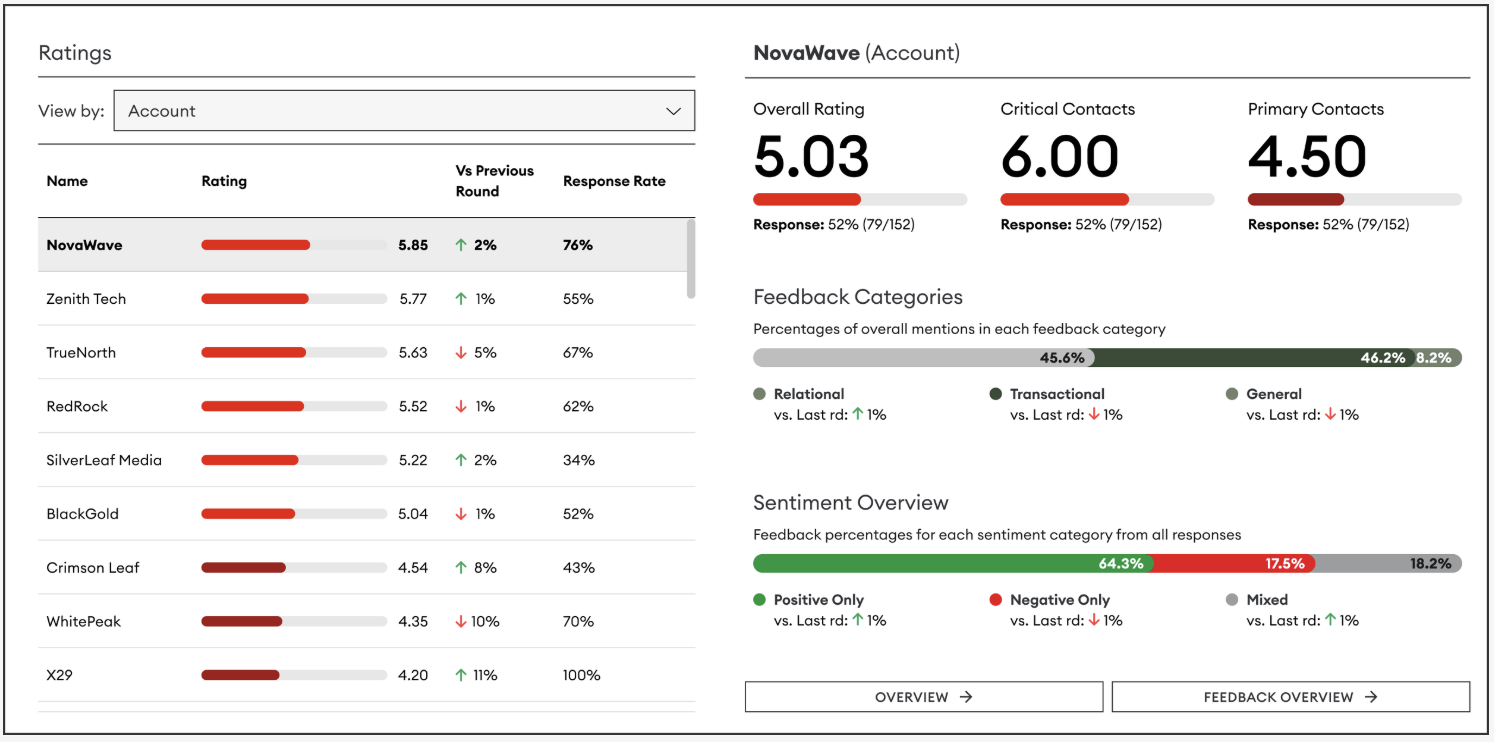
You can dive deeper into the account by clicking Overview or Feedback Overview. This will take you to a filtered view of each of these pages.
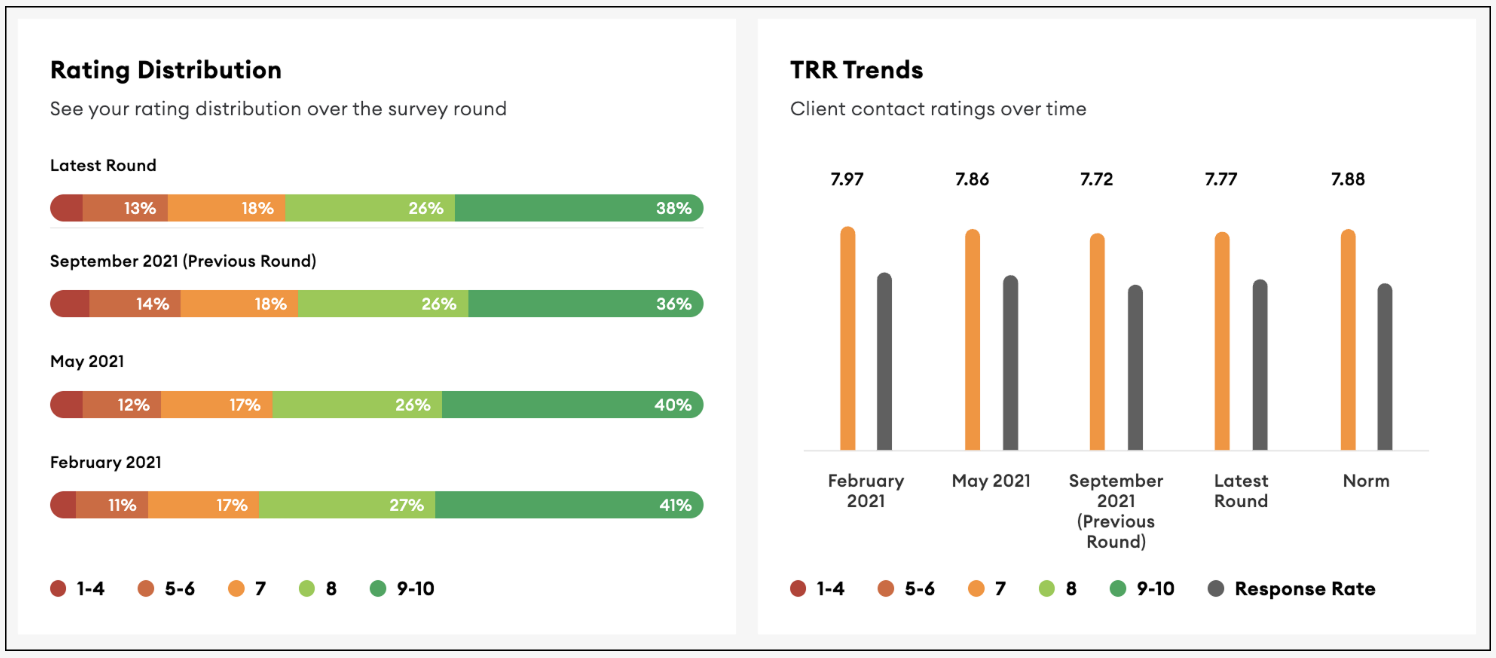
Click into Overview to understand how this account's historical trends the account.
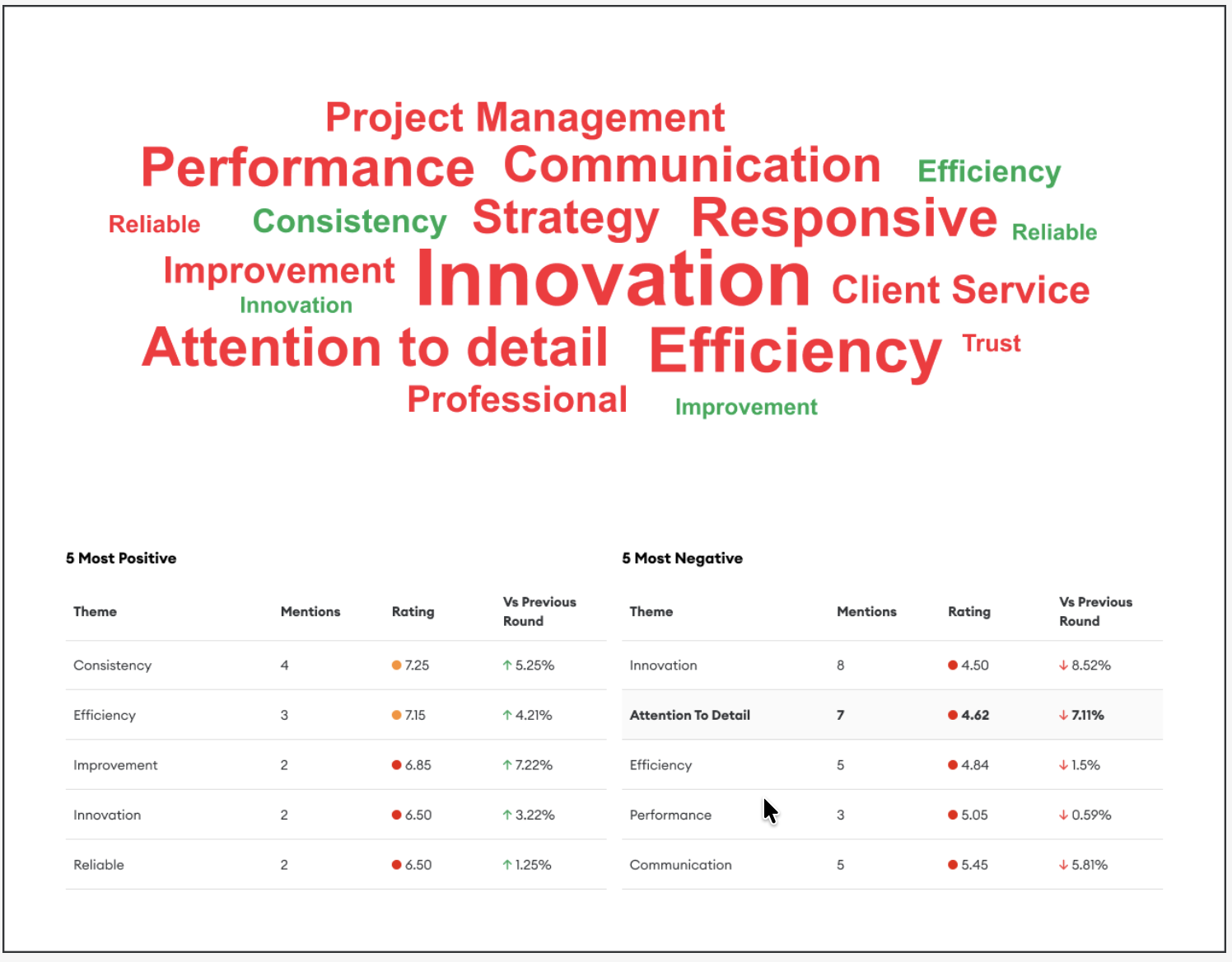
Click into Feedback Overview to understand the themes
Step 2: Identify critical contacts at risk
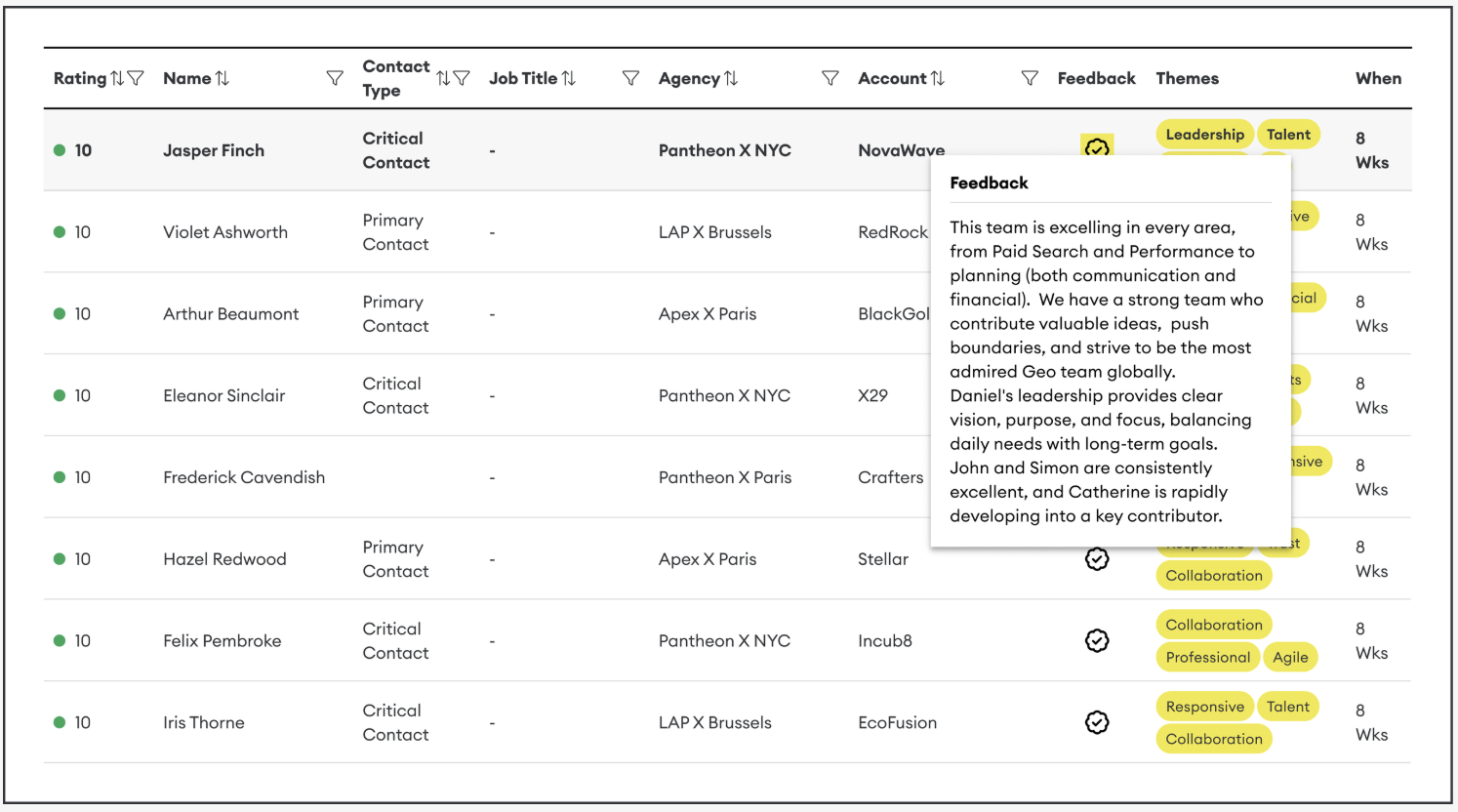
From either the Overview or Feedback Overview page, you can go to the Individual Response table
Critical Contacts who've given a rating of 6 or below
Primary Contacts who've rated you at 4 or below
The rating they’ve given over time
This data will help you identify the key people to talk to improve your relationship with that account.
Step 3: Understand negative feedback
Click on an individual’s name for a Contact Profile view that shows:
When they did or didn’t respond to a survey request
The rating they’ve given for each round
The feedback they’ve shared
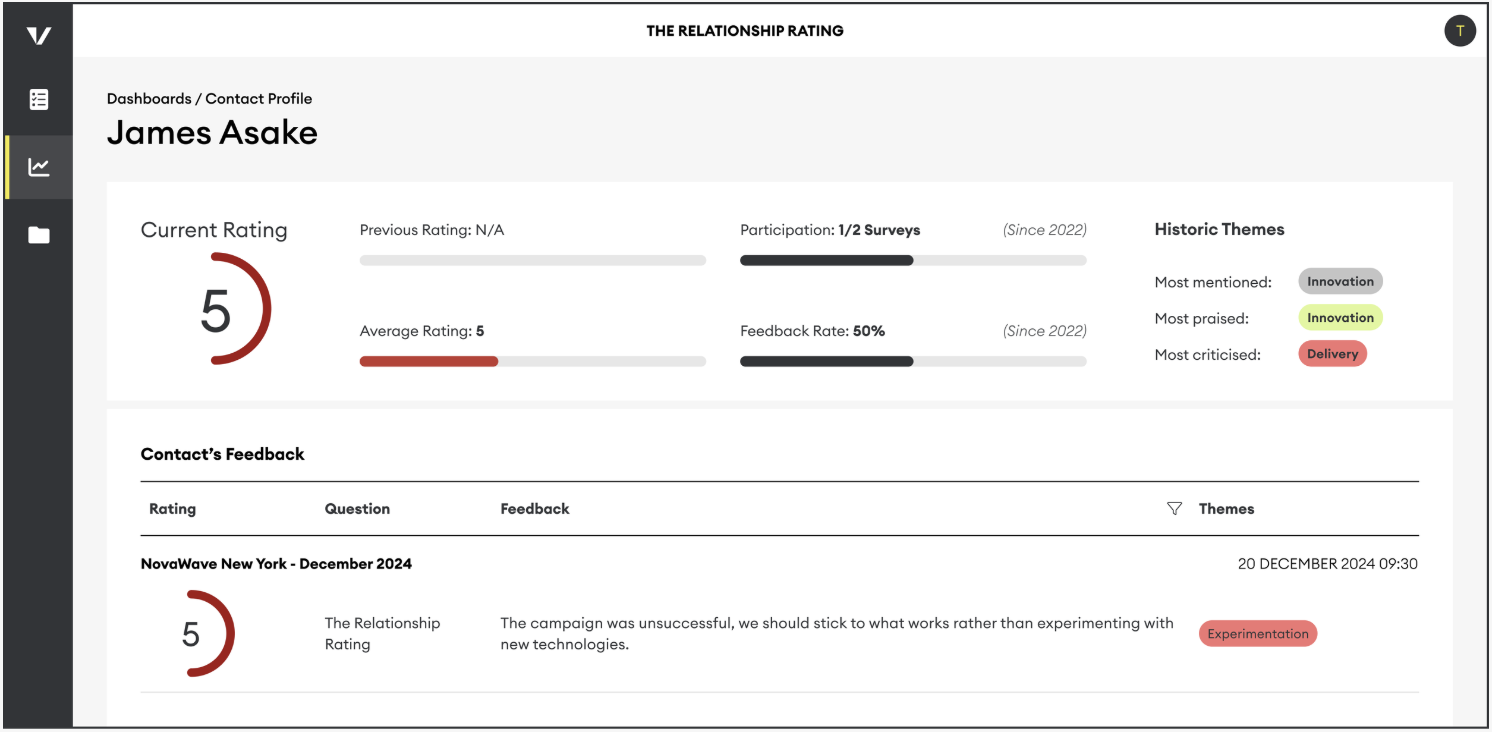
This way, you’ll find out:
When things turned negative
What does the customer list as reasons why
Compare this to any operational changes made
Identify new or recurring themes in their feedback
Examining feedback at the individual contact level will help you identify and address key pain points and strengthen the overall health of the account.
Comparing negative feedback across multiple contacts will help you pinpoint potential risks and challenges needing attention at a company level.
TIP: You can also set a filter on this table to show 6 and below only
HOME | ACCOUNTS | PANELS | SURVEY DESIGN | MANAGE RESPONSE | VIEWING RESULTS | ARTICLES