HOME | ACCOUNTS | PANELS | SURVEY DESIGN | MANAGE RESPONSE | VIEWING RESULTS | ARTICLESThe Dashboard
A guide on how to access and navigate to the different dashboard views.
Accessing the dashboard
To access the dashboard by clicking the icon on the left navigation bar
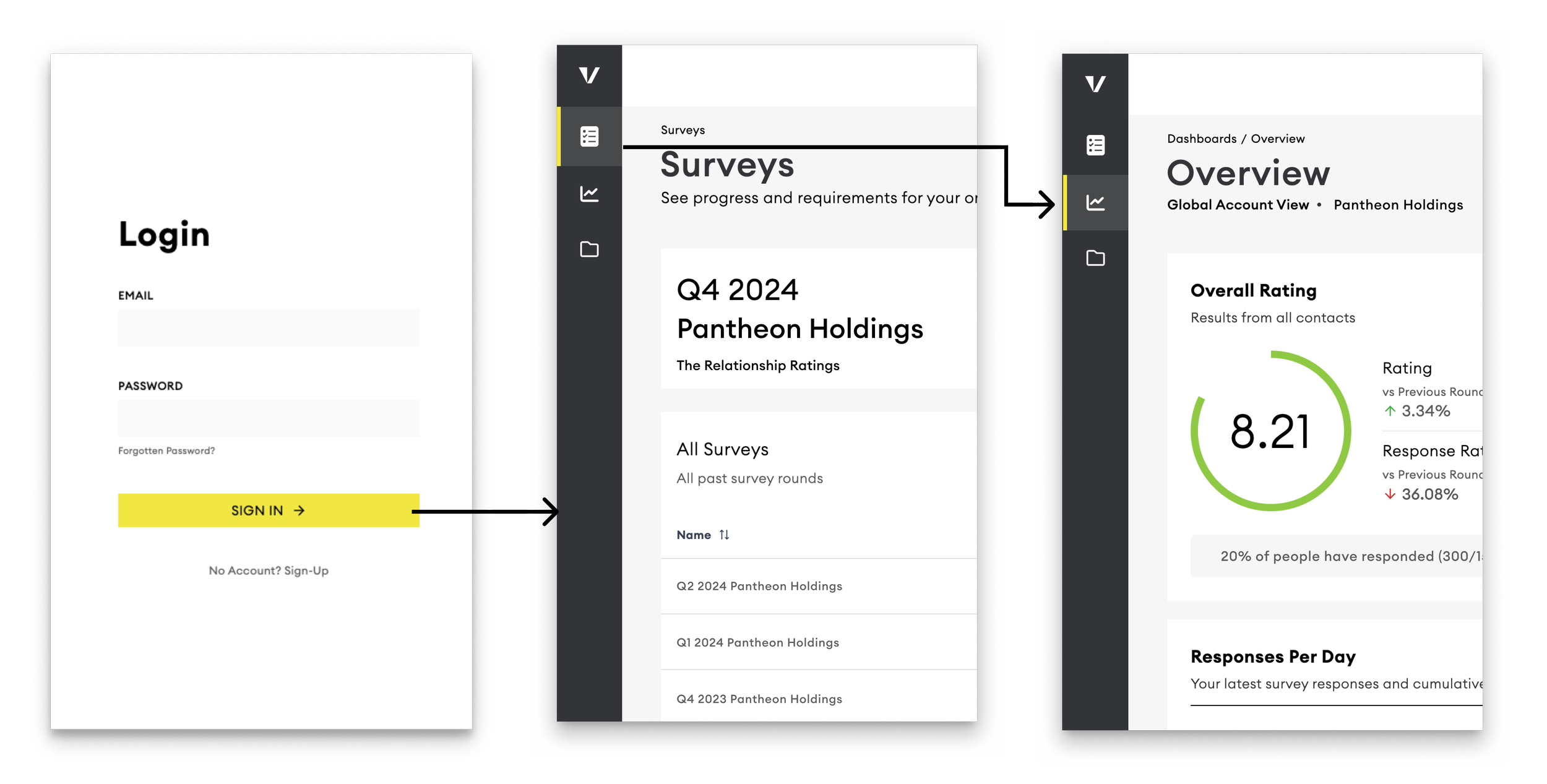
From the left navigation, you see all the dashboard views you have access to.
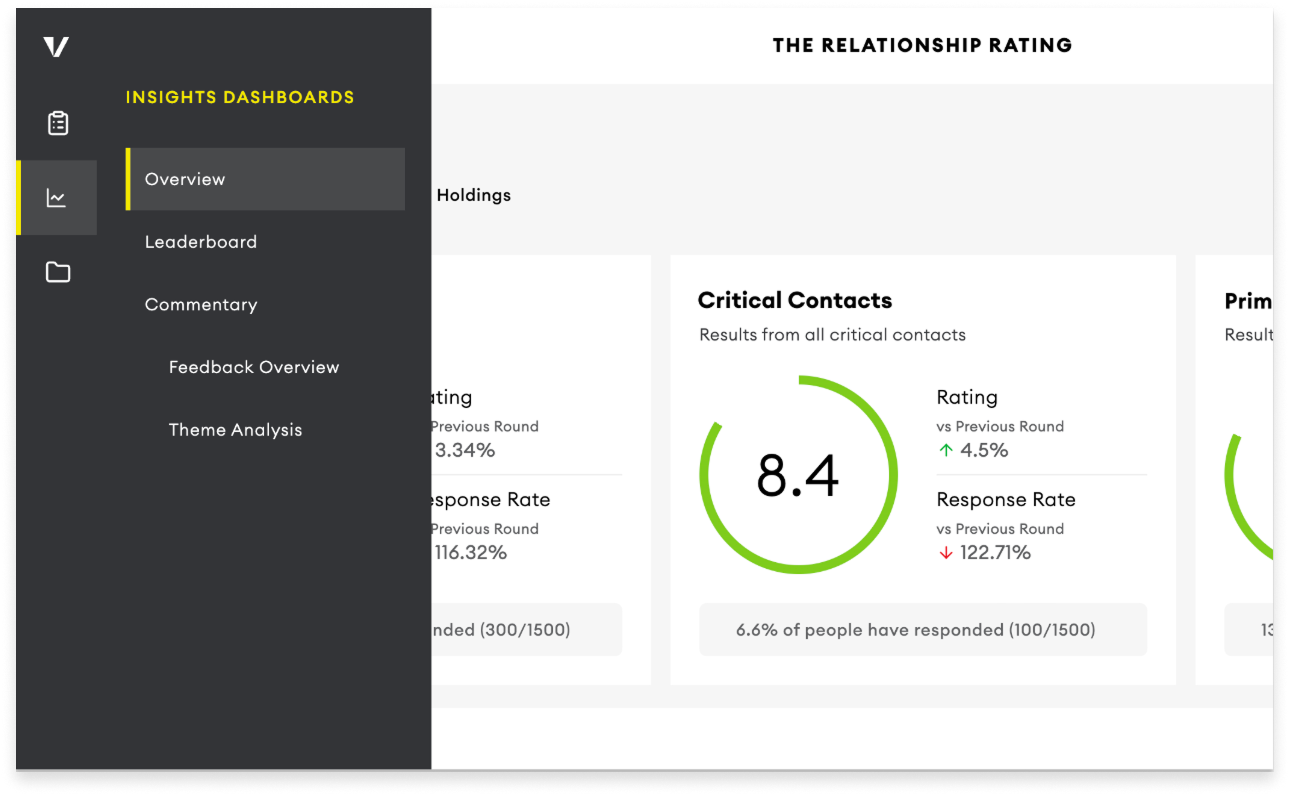
Filtering your view
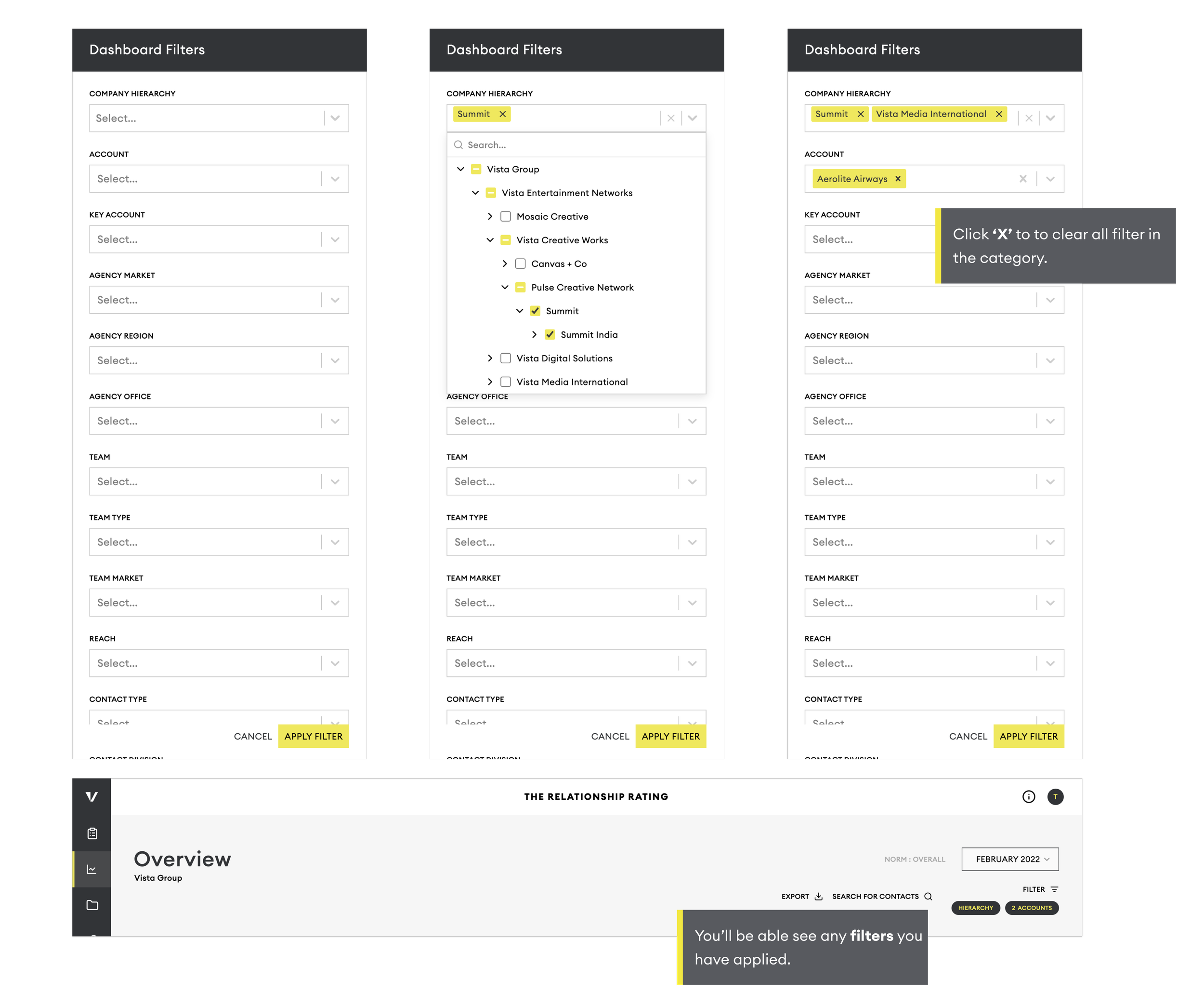
When you log into the dashboard, your view will include everything you have access to. To focus your view on the areas that are most important, you can apply filters.
As shown below, these filters will allow you to create the exact view needed. You will be able to filter by Agency, Account, Market, Teams and Contact Type.
Company Hierarchy
This filter works slightly differently from the other filters because it reflects the organisational structure of companies.
Companies are organised in parent and child relationships, allowing you to filter at different levels of the hierarchy.
Selecting a parent company will automatically include all of its child companies in the results.
You can also expand the hierarchy and select individual child companies if you only want to view specific entities.
Multiple companies can be selected at the same time.
Filtering your view
When you log into the dashboard, your view will include everything you have access to. To focus your view on the areas that are most important, you can apply filters.
As shown below, these filters will allow you to create the exact view needed. You will be able to filter by Agency, Account, Market, Teams and Contact Type.
Company Hierarchy
This filter works slightly differently from the other filters because it reflects the organisational structure of companies.
Companies are organised in parent and child relationships, allowing you to filter at different levels of the hierarchy.
Selecting a parent company will automatically include all of its child companies in the results.
You can also expand the hierarchy and select individual child companies if you only want to view specific entities.
Multiple companies can be selected at the same time.
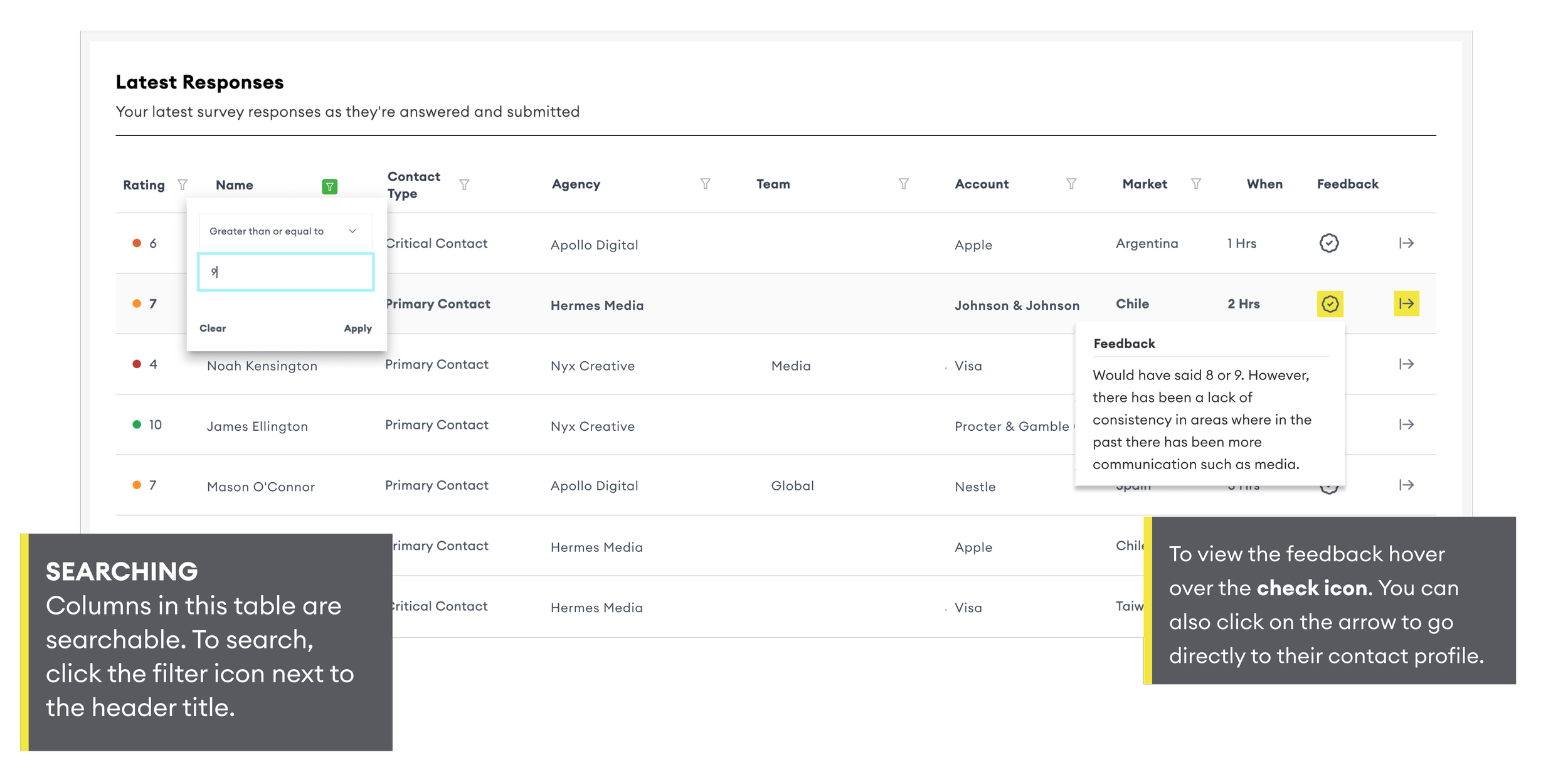
The Relationship Rating Views
This guide shows step-by-step how to use the dashboard, spot patterns and trends in your survey data, and make better strategic decisions.
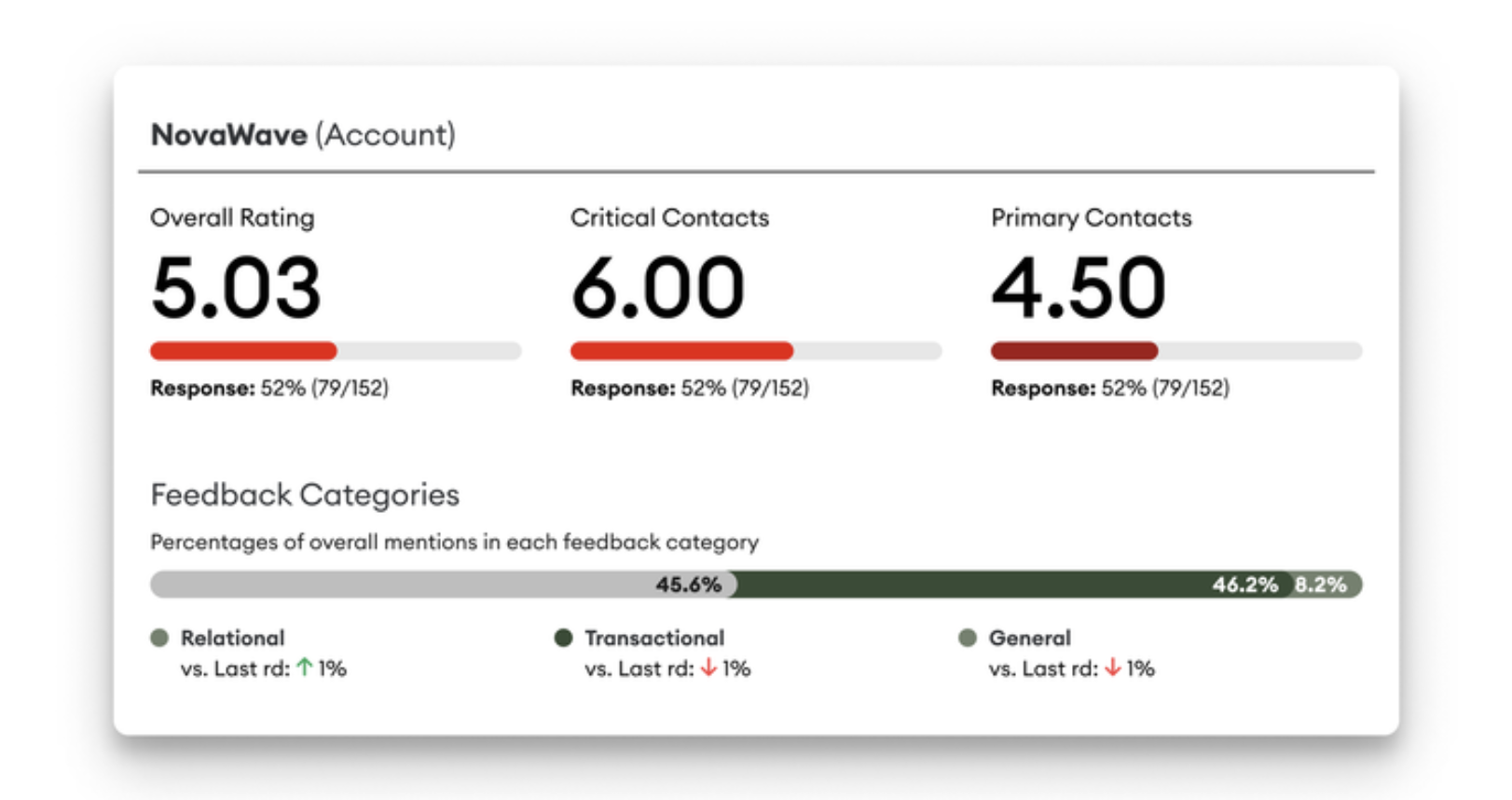
Identify accounts at risk and the reasons why
Identify and avert business risk by knowing the accounts and individuals feeling dissatisfied or neglected — and the reasons why.
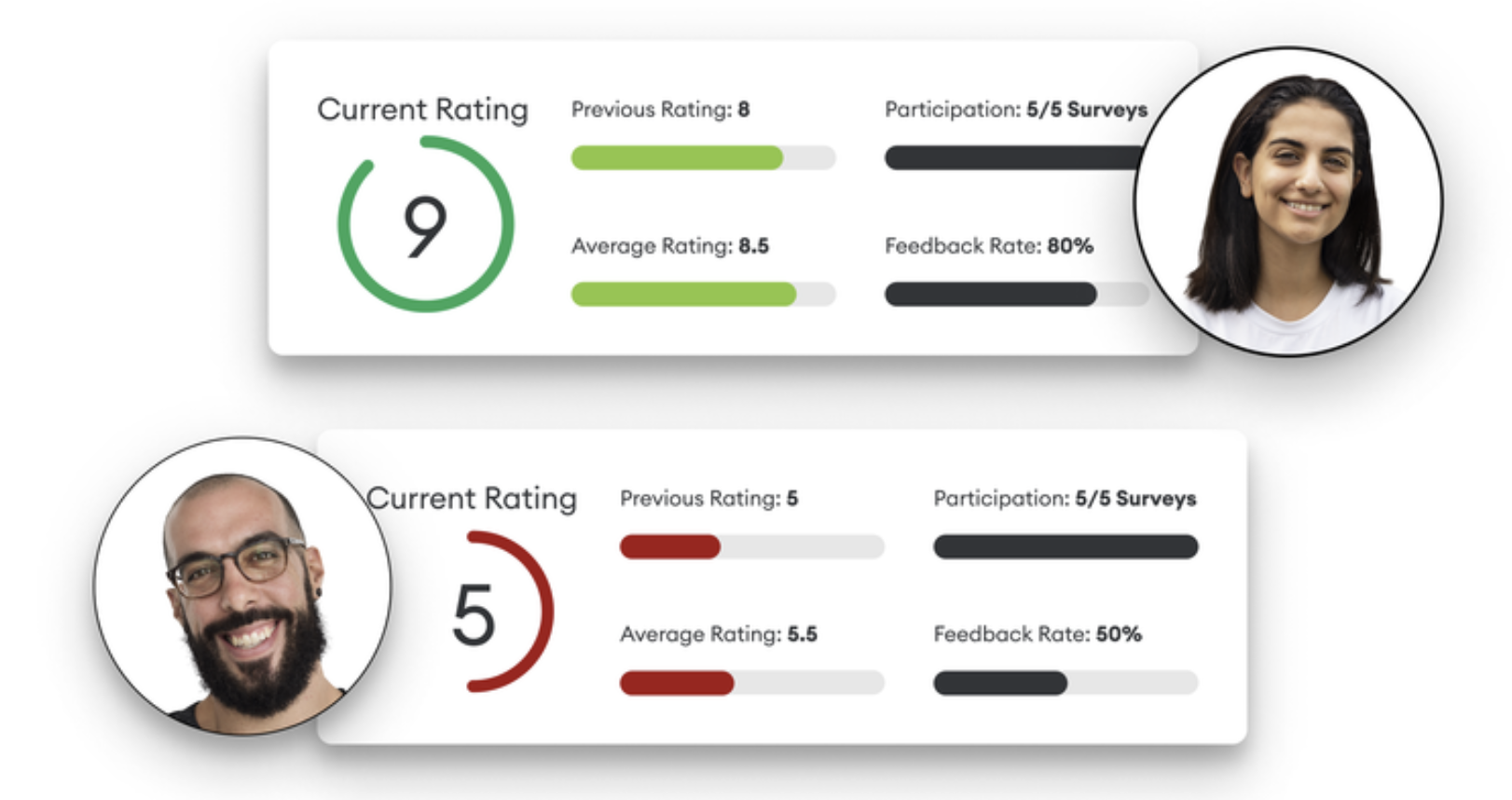
Identify your most satisfied clients
Identify who is rating you highest and likely to be talking about you positively behind your back for organic growth opportunities and referrals
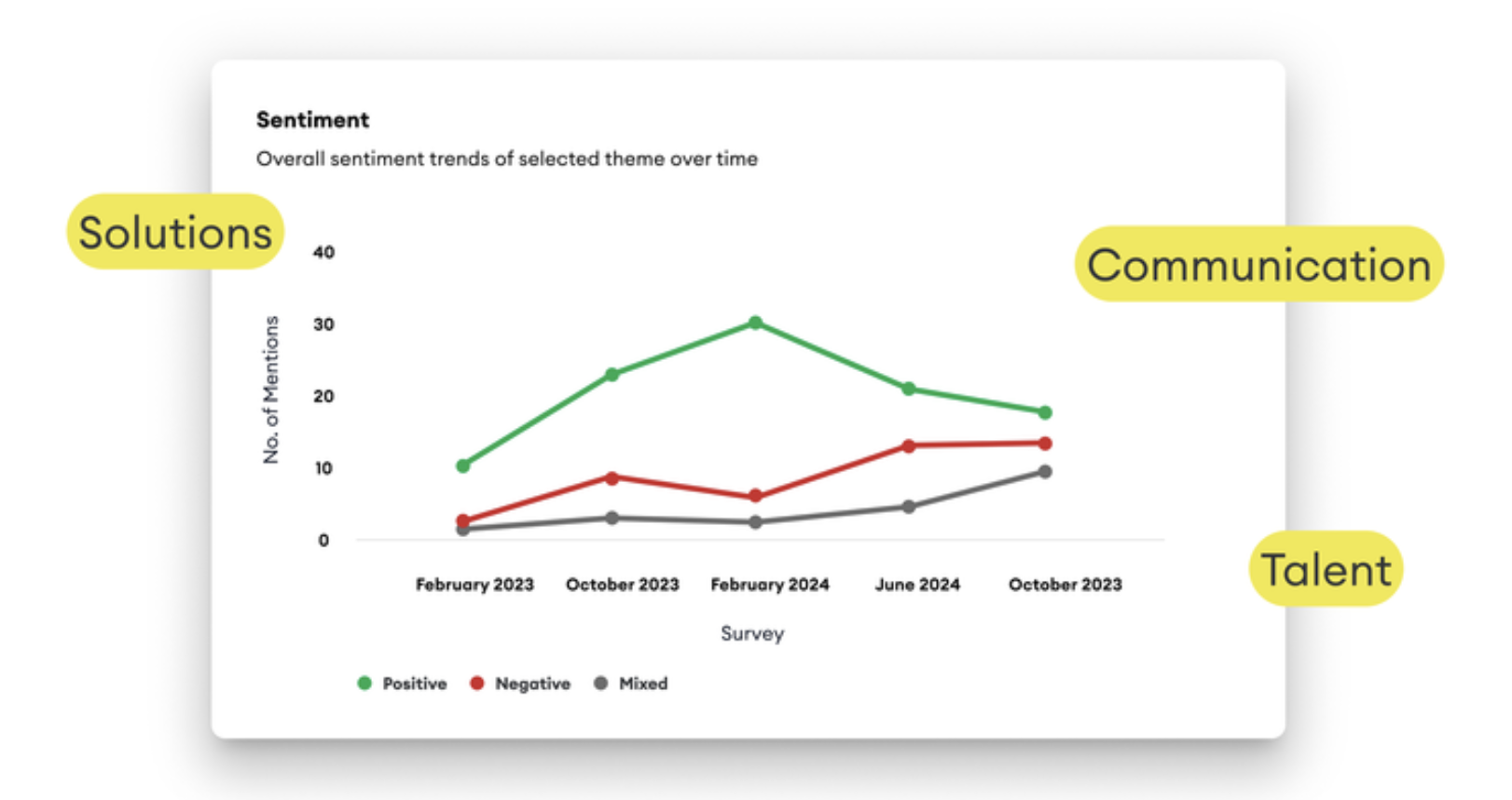
Identify the key drivers of positive or negative feedback
Categorise and extract key insights across customers, markets, and sectors for constructive conversations and team alignment.
HOME | ACCOUNTS | PANELS | SURVEY DESIGN | MANAGE RESPONSE | VIEWING RESULTS | ARTICLES