HOME | ACCOUNTS | PANELS | SURVEY DESIGN | MANAGE RESPONSE | VIEWING RESULTS | ARTICLESWhat to Do During the Live Survey Stage
The Live Survey runs for several weeks. During this time, the aim is to get as many responses as possible so the data is strong enough to make action plans.
You can log in anytime during the Live Survey and check response status on your Panels Page.
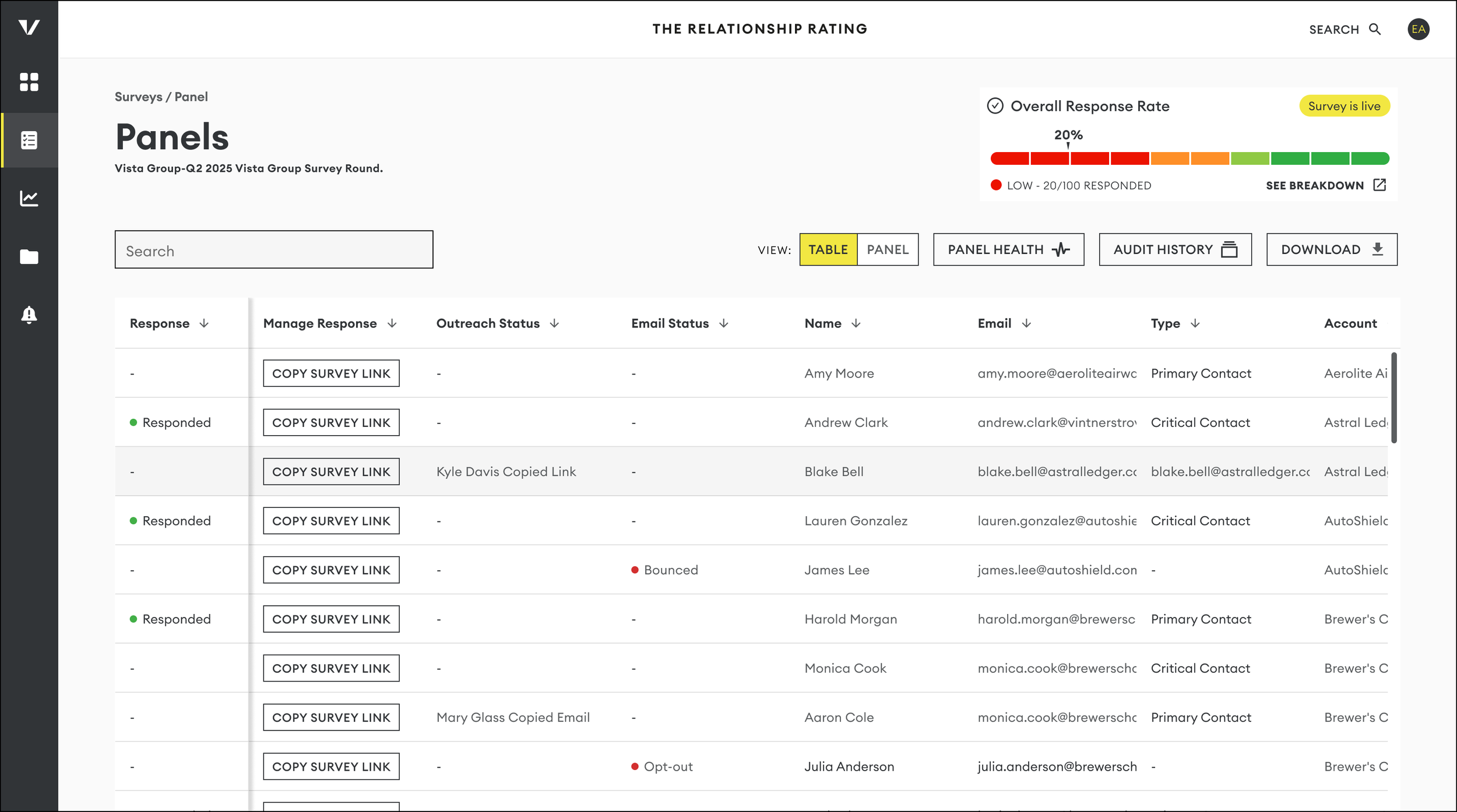
Getting an overall view of your response
Not sure where to start? Click “See Breakdown” for a quick response rate summary. From there, you can easily spot which accounts need your attention most. You can then drill down by account by clicking “See Contacts.”
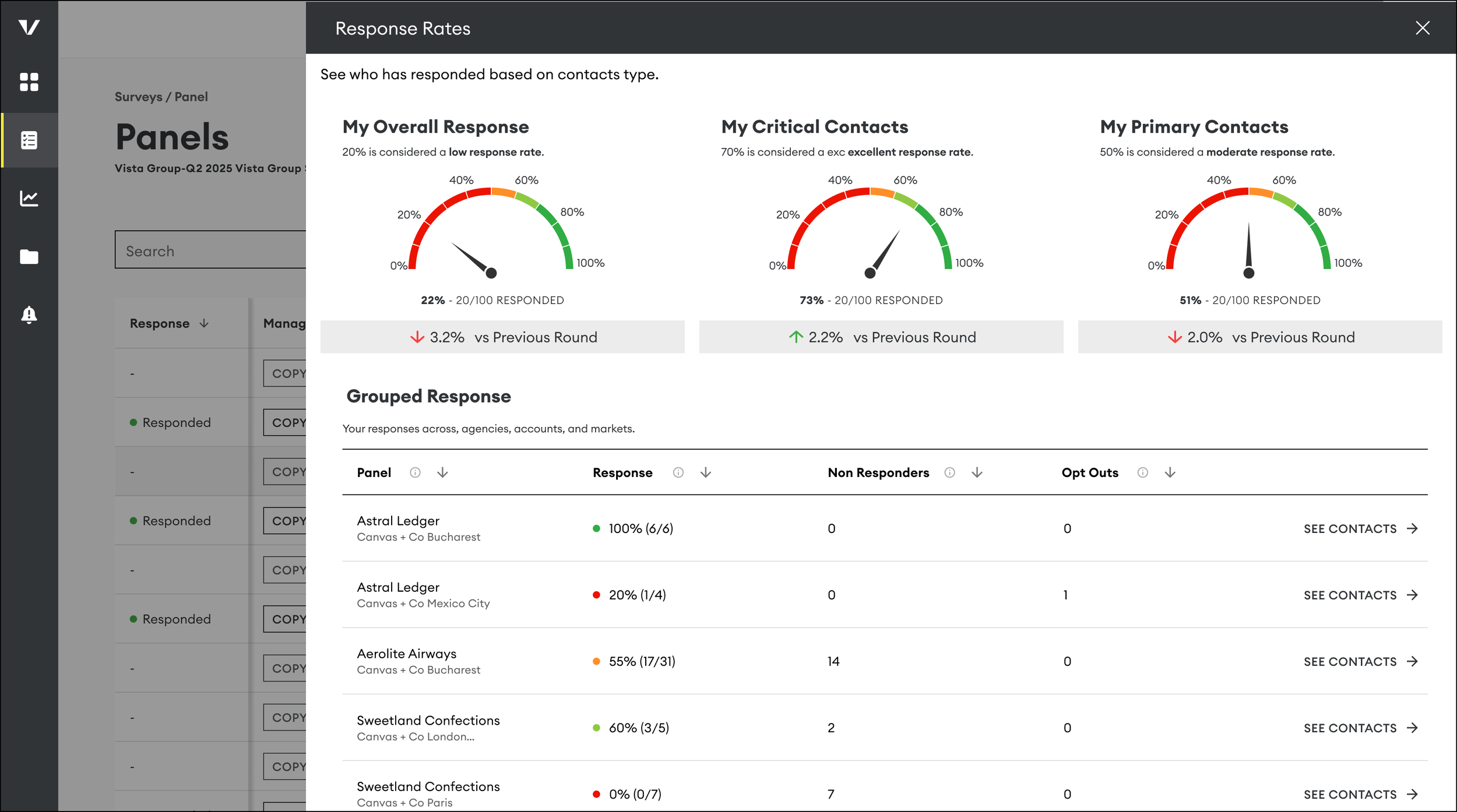
Other Things You Can Do
Work with Your Team:
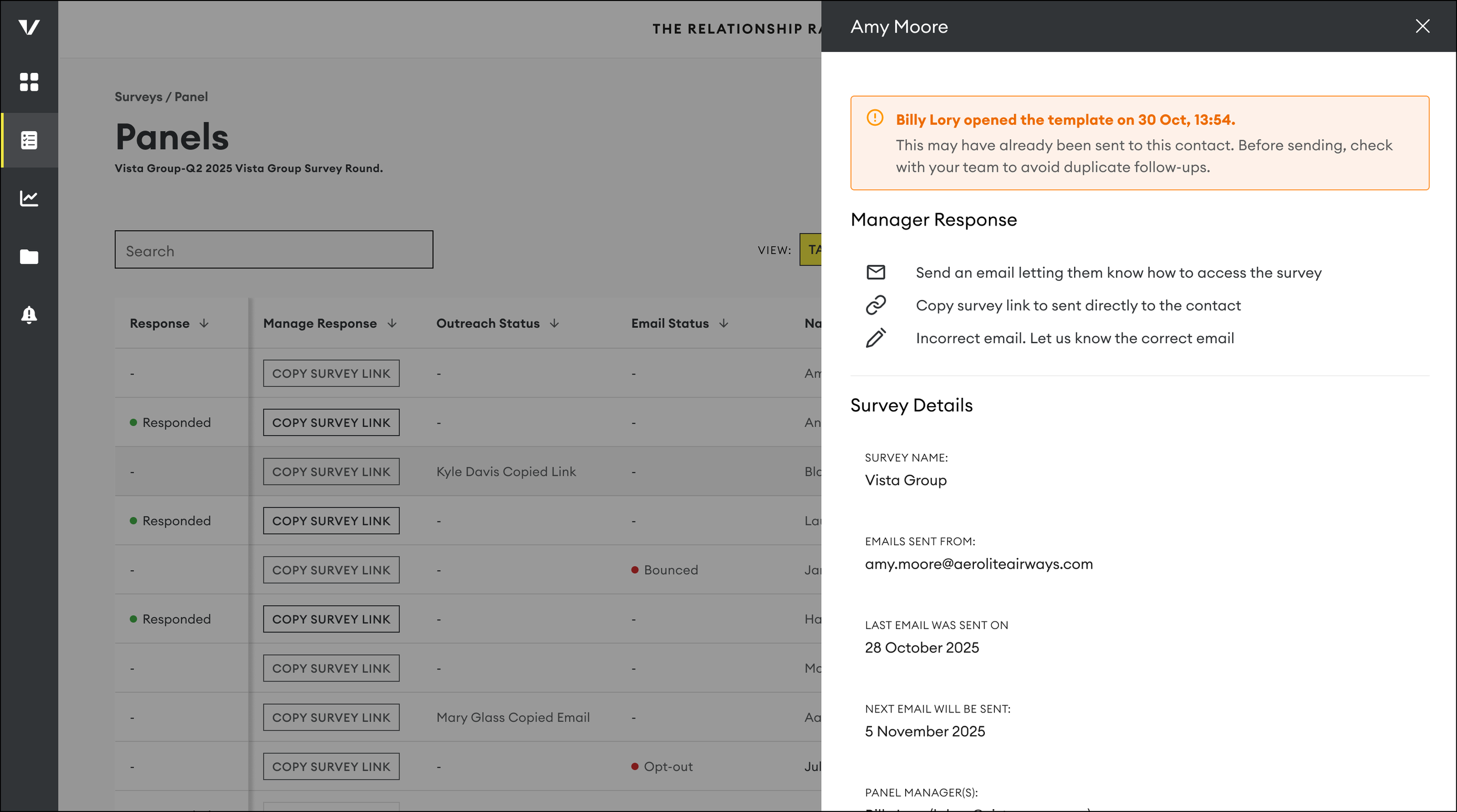
To avoid duplicate follow-ups, you’ll see a flag if someone on your team has already contacted a client by looking at the ‘Outreach Status’ column.
Manage Bounced Emails:
If an email bounces after the first send, you’ll see an alert. Please check for typos and share the correct address by clicking the edit icon on the contacts menu so we can update it before the next mailing.
Check for Opt-Outs:
You’ll see an alert on the Panel page if someone has opted out. Contacts can opt out via the link in their email. If they’ve opted out, they will no longer be sent mailings.
Reaching out to non-responders
You now have the option to send an additional, personalised email to your client with a unique survey link (note this will be in addition to our 4 client mailings). Here is how:
Option One:
Click the Email Icon - Open a pre-filled email draft in your email application. Feel free to adjust the message to suit your style, but please keep the survey link unchanged
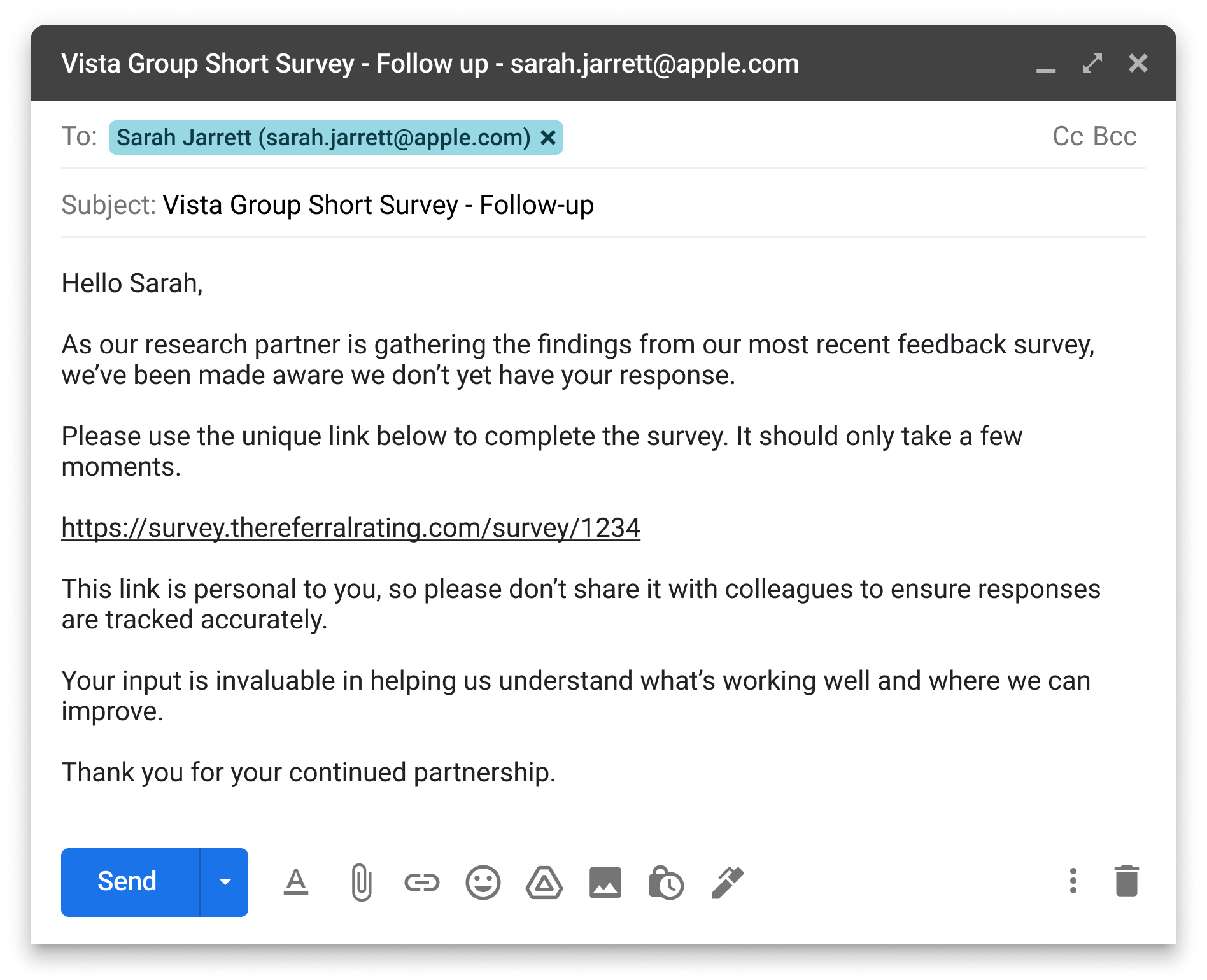
Send & Track Responses effortlessly while maintaining data integrity.
⚠️ Handle Links with Caution: Each survey link is unique to an individual client. Sending the wrong link may lead to misattributed responses.
⚠️ Survey Integrity Maintained: To prevent misuse, each response is linked to a unique identifier, and IP tracking remains active.
Option two:
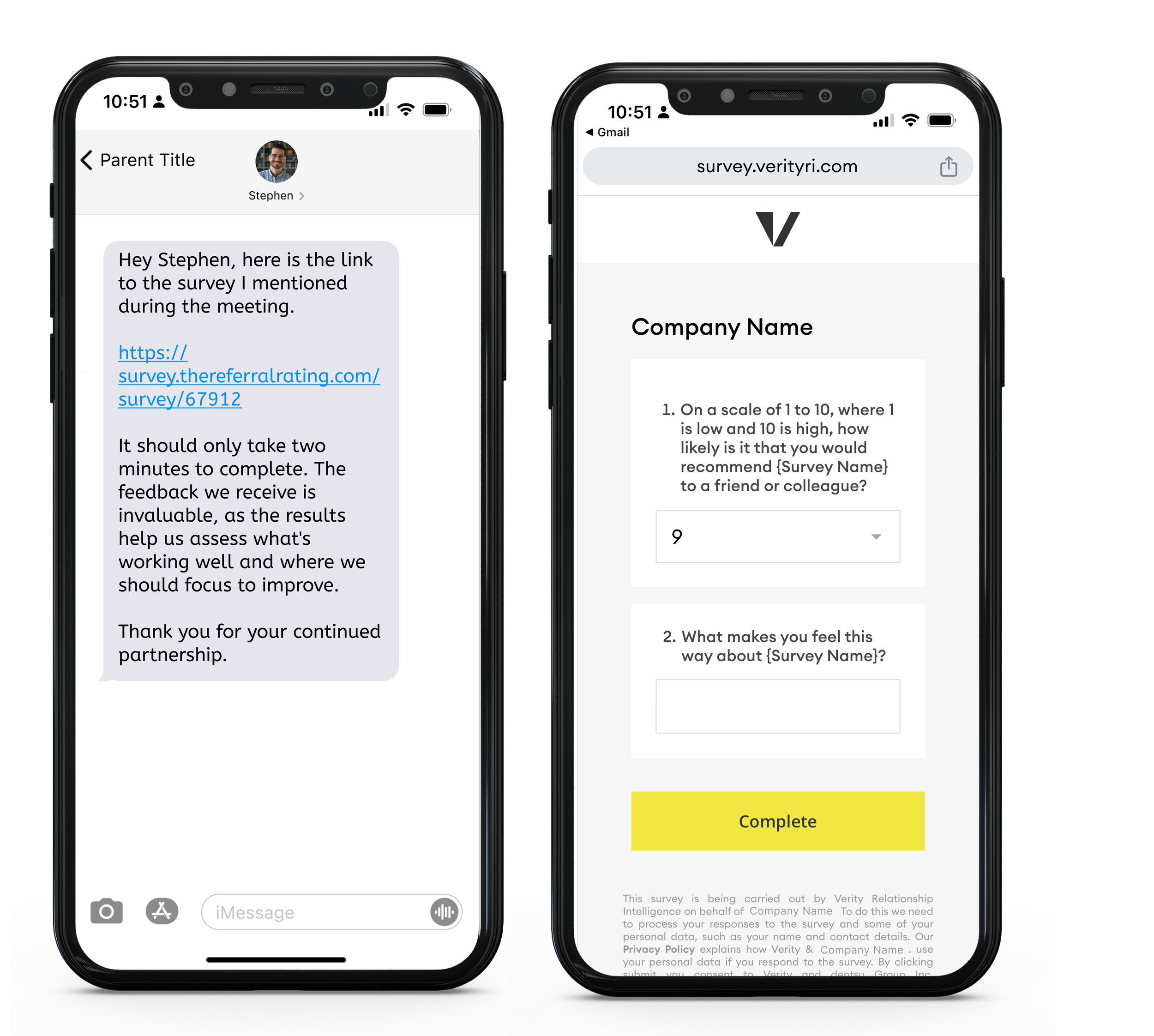
Click the Link Icon - Instantly copy the contact’s unique survey link and paste it into WhatsApp, SMS, or another messaging app.
If you are using the copy link method, please make sure to double-check that you have the right link for that person before sending.
HOME | ACCOUNTS | PANELS | SURVEY DESIGN | MANAGE RESPONSE | VIEWING RESULTS | ARTICLES